





• 3D printers▾

    3D printers

    Prusa CORE One LLearn more
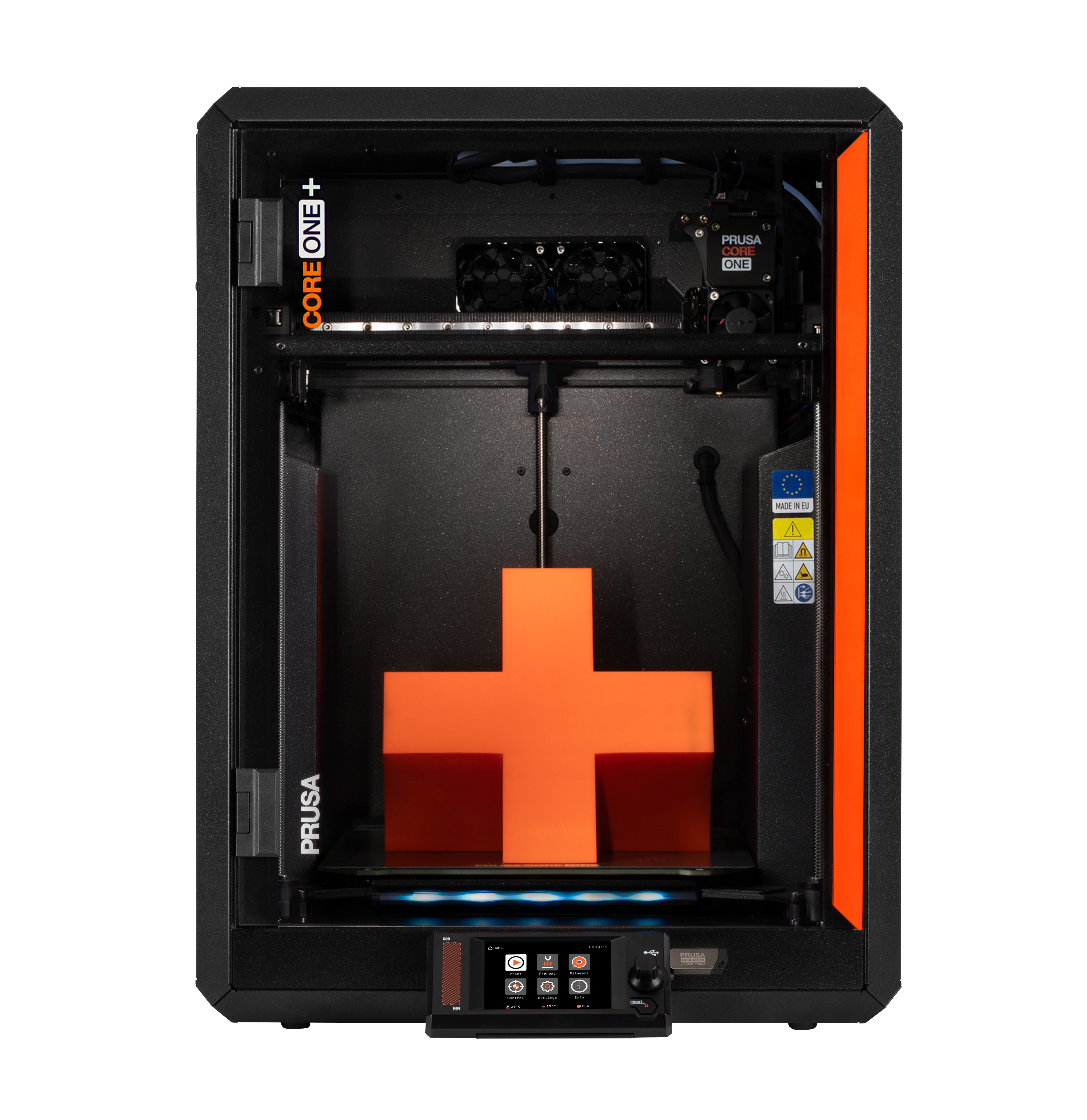
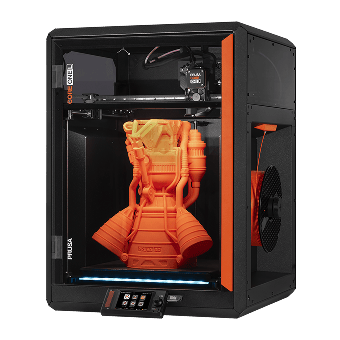
    Prusa CORE One+Learn more
    Prusa CORE One L: Critical InfrastructureOriginal Prusa MK4SOriginal Prusa XLOriginal Prusa MINI+Original Prusa XL: Critical InfrastructureOriginal Prusa SL1S SPEEDPrusa Pro HT90Prusa Pro SLXPrusa Pro AFSPrusa Signature Oak

    Printer upgrades

    CORE One/+ INDX Conversion KitMMU3 (Multi Material Upgrade)MK4S to CORE One+ Conversion KitXL Toolhead UpgradesXL - Silicone Printing ToolheadMK3S/+ to MK4S
    Prusa Reward ProgramLove your Prusa printer? Share your experience and earn $30 Prusa e-shop vouchers.
    How to Choose a 3D Printer?We’ll walk you through the basics to find the exact machine for your space, budget, and ideas.
    Free E-bookDownload a free e-book Basics of 3D Printing with Josef Prusa and make your first steps in 3D printing world
    Original Prusa Printable PartsCollections of printable spare parts for Original Prusa 3D printers and upgrades.
    Shipping informationRegularly updated info about the current manufacturing capacity and delivery times of our printers.
    Custom 3D PrintingProfessional custom 3D printing from various materials according to your requirements.
  • Materials▾

    Filaments

    PrusamentPLAPETGASA / ABSPC (Polycarbonate)PA (Nylon)FlexCompositesSpecialMaterials clearance sale

    Resins

    Prusament ResinEngineeringStandard (Tough, Model, BioBased)Medical
    Filament GuideCheck my Prusament Spool
    Prusament.com
  • Parts & Accessories▾

    Accessories

    EnclosuresNozzlesPrint SheetsEssential AccessoriesCameras & AddonsTools & CraftingAdhesives

    Spare parts

    Merchandise

    Spare parts - All PrintersCORE OneMK4/S & MK3.9/SMK3/S/+XL
    Merch
  • For Business▾
    Prusa Pro HT90Prusa Pro SLXPrusa Pro AFSPrusa Pro Medical OneOriginal Prusa XLOriginal Prusa XL: Critical Infrastructure
    Prusa CORE One+Learn more
    Prusa CORE One LLearn more
    Prusa CORE One L: Critical Infrastructure Edition

    3D Printing for

    Manufacturing and R&DAutomotive IndustryHealthcareEducation and Academic ResearchArchitects and DesignersFilm IndustryCritical Infrastructure

    3D Printing Stories

    • How 3D printing started: About Rep-rap and open-source with Adrian Bowyer
    • Teaching mathematics redefined with 3D printing at JKU Linz
    • The story behind the LTT screwdriver
    • Victoria Hand Project: Changing Prosthetic Care with 3D Printing
    Official Prusa Resellers
    Sustainability
    Prusa Education
    Contact and Inquiry
    Custom 3D Printing
    ISO Certified
  • Software▾
    PrusaSlicer

    PrusaSlicerPrusaSlicer

    PrusaSlicer is an open-source, feature-rich, frequently updated tool that contains everything you need to export the perfect print files for your 3D printer.

    WindowsMacOSLinux
    Prusa Connect

    Prusa Connect

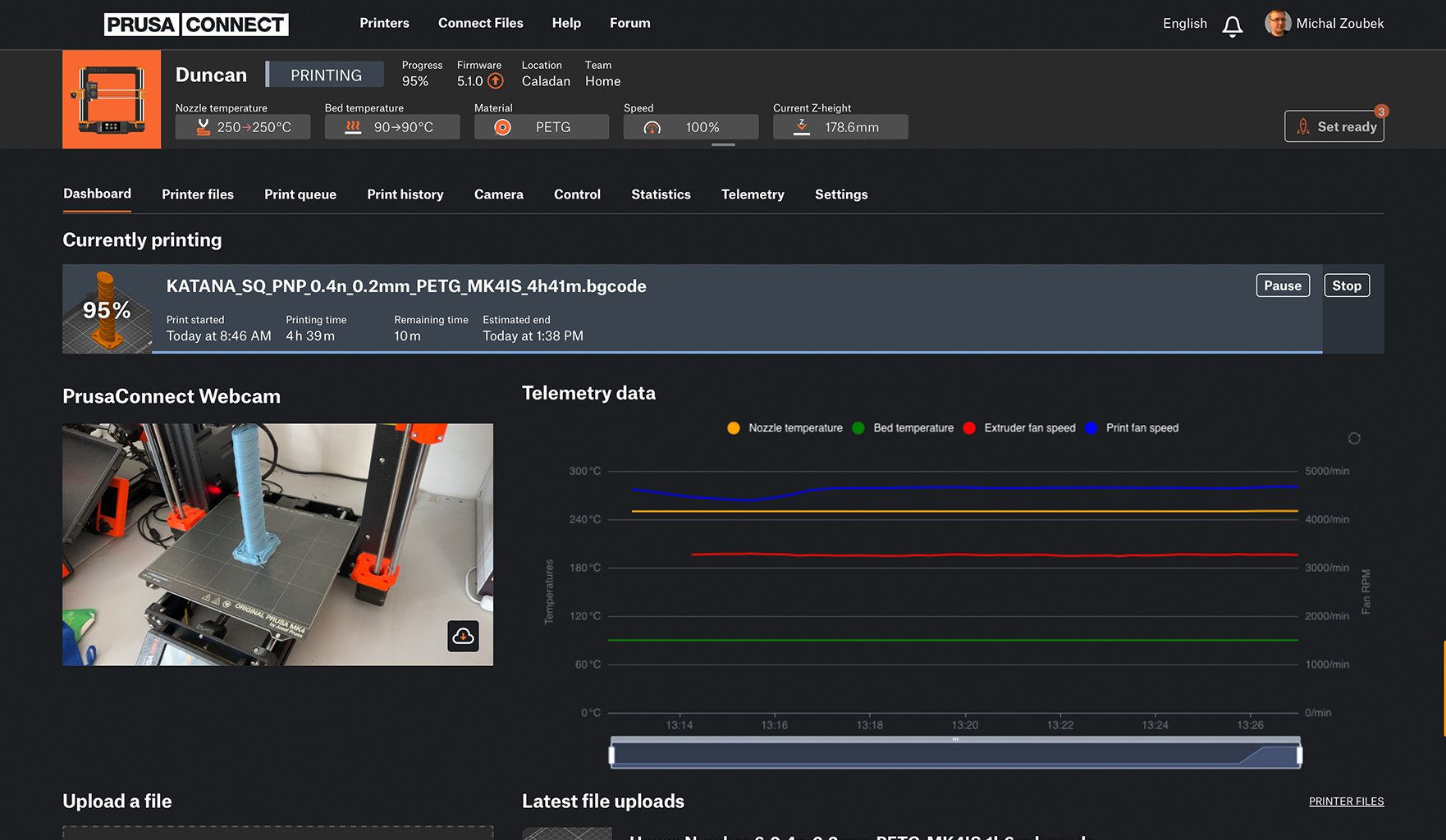
    Prusa Connect is a cloud service enabling remote control and monitoring of your 3D printers, offering secure data handling, easy setup, and support for managing multiple printers from anywhere.

    Log in to Connect
    Prusa.app

    Prusa.app

    Control your printer/s remotely from anywhere using the Prusa Connect technology behind. Prusa.app brings a new level of Prusa printer experience to Android and iOS phones.

    Try it now!
    Drivers & FirmwareDownload the latest firmware and drivers for your 3D printer.
    PrusaSlicer Support
    Prusa Connect Support
  • 3D Models▾
    3D PrintersArt & DesignHobby & MakersHouseholdTabletop MiniaturesToys & GamesPrintables Store

    Popular 3D models

    • BETTER VENTILATED FUNNEL - PARAMETRIC
    • Dual Color Poker Chips With Numbers
    • DungeonSticks Cathedral / church modular tabletop terrain
    • Fan: Folding Fan
    • Cable Mount
    • Stool is the box

    Design Contests

    • Cap Hacks7/10/2026 – 7/26/2026
    • Výzva desginéra: Modulární zásuvkové systémy7/1/2026 – 7/22/2026
    • Ozdoby do pantoflí6/26/2026 – 7/12/2026
  • Community▾

    Upcoming Events

    • Open Sauce 20267/17/2026 – 7/19/2026 · California, United States · Prusa Team
    • EAA AirVenture 20267/20/2026 – 7/26/2026 · Wisconsin, United States · Prusa Team
    • Maker Faire Hannover 20268/15/2026 – 8/16/2026 · Niedersachsen, Germany · Prusa Team
    • IFA 20269/4/2026 – 9/8/2026 · Berlin, Germany · Prusa Team

    Prusa Forum

    • Magnet insertion tool for the tool docks
    • Cheap Nozzles vs Expensive Nozzles - Snake Oil or Not?
    • Top surface quality - pressure advance/flow rate calibration
    Prusa World MapPrusa World MapFind local 3D printing users and explore the community around you.
  • Help▾
    Guides & TutorialsPrusaSlicerPrusa ConnectMaterials

    Printer Model

    CORE One INDXCORE One LCORE One+CORE One

    Hardware Troubleshooting

    • Selftest failed (CORE One/+)
    • Clogged nozzle (CORE One, CORE One L, XL, MK4/S, MK3.9/S)
    • Adjusting belt tension (CORE One L, CORE One)
    • Prusa Connect and PrusaLink explained

    Drivers & Firmware

    INDX familyCORE One familyMK4 familyXL familyMMU familyPRO family
  • Courses▾

    Become an expert in 3D printing

    Prusa Academy offers online courses on various 3D printing related topics. Each course features:

    • easy-to-read text with many pictures and short videos
    • links for inspiration and further study
    • quizzes for testing your knowledge along the way
    • certificate of completion

    Courses

    • 3D Printing and Modeling for Beginners (MK3S+)
    • 3D Printing and Modeling for Beginners (MINI+)
    • Design Principles for 3D Printed Parts
    • Complete Guide to 3D Print Postprocessing, Painting, and Detailing
    • Airbrush Your 3D Prints: From Basics to Advanced Tricks
    • 3D Modeling in Autodesk Fusion
    • 3D Printing and Modeling for Beginners (MK4)
    • 3D Print Photography: The Complete Guide
    • 3D Printing and Modeling for Beginners (MK4S)
    • PrusaSlicer Masterclass – Beginner to Advanced
    • 3D Printing and Modeling for Beginners (CORE One/+)
    • 3D Printing and Modeling for Beginners (XL)
    • Miniature Painting for Beginners
    • 3D Printing and Modeling for Beginners (CORE One L)
  • Blog▾
    • State of INDX – July 2026 Update: Founders Edition Shipping + What’s Next
    • Flash Summer Deal 2026: 20% Off MK4S & Reduced CORE One+ Shipping!
    • Open Community License v1.1: The New Plugin System, More Examples, and Your Questions Answered
    E-Book: Basics of 3D Printing
  • Company▾

    About Prusa Research

    We are the largest maker of 3D printers in Europe and the United States.

    Founded as a one-man startup in 2012 by Josef Prusa, a Czech hobbyist, maker, and inventor. In just 15 years, we've grown into a company of more than 1,200 people. Every month, we design, build, and ship over 10,000 innovative and secure 3D printers from our headquarters in Prague, Czech Republic, and Delaware, USA, to users in more than 160 countries.

    Watch a video and find out how Prusa Research was born and what we achieved within only 10 years!

    About UsTimelineSustainabilityOpen-source
    About Us
    Contact Us
    Logo and Photos
    ISO Certified

Blog

  • State of INDX – July 2026 Update: Founders Edition Shipping + What’s Next
  • Flash Summer Deal 2026: 20% Off MK4S & Reduced CORE One+ Shipping!
  • Open Community License v1.1: The New Plugin System, More Examples, and Your Questions Answered

Newsletter

Signup and get our monthly squeeze on updates, blog, printables and much more.

By clicking, you agree to receive our newsletter.

This site is protected by reCAPTCHA Enterprise and the Google Privacy Policy and Terms of Service apply.

BETTER VENTILATED FUNNEL - PARAMETRIC
E-shop
  • 3D Printers
  • Printer Upgrades
  • Filaments
  • Accessories
  • Prusa Merchandise

© Prusa Research a.s.

Printables
  • 3D Models
  • Store
  • Clubs
  • 3D Design Contests
  • Brands
Community
  • World Map
  • Forum
  • User Groups
  • Events
Help
  • Prusa Help
  • Prusa Academy
  • 3D Printing Calculators
Software
  • PrusaSlicer
  • Prusa.app
  • Prusa Connect
  • Drivers and Software
Company
  • About Us
  • Blog
  • Official Prusa Resellers
  • Contact Us
  • Certified for ISO 9001, ISO 14001, ISO 45001
  • General Terms and Conditions
  • General Terms and Conditions of Use of the PRUSA Websites
  • Privacy Policy
  • Information about cookies
  • Customer Complaints Policy
  • Status Page
  • Do Not Sell or Share My Personal Information
  • Supplemental Statements
  • General Terms and Conditions
  • General Terms and Conditions of Use of the PRUSA Websites
  • Privacy Policy
  • Information about cookies
  • Customer Complaints Policy
  • Status Page
  • Do Not Sell or Share My Personal Information
  • Supplemental Statements

© Prusa Research a.s.

JOSEF PRUSA®, PRUSA RESEARCH®, PRUSA POLYMERS®, PRUSA ORANGE®, PRUSA 3D ® AND PRUSAMENT® are registered trademarks of Prusa Development a.s. used by Prusa Research a.s. under licence from Prusa Development a.s.

PrusaSlicer

Turn a 3D file into a finished part. The software that powers the 3D printing industry. Free. Open-source. No account required. Runs on your machine.

v2.9.6Released June 25, 2026

PrusaSlicer 2.9.6 for Windows (64-bit). Requires Windows 10 or later.

View all releases on GitHub →
Change logGithubDocumentation
Desktop, tablet or phone?

You don't have to choose.

PrusaSlicer & EasyPrint

PrusaSlicer runs on Windows, Mac, and Linux. Need to start a print from the shop floor or the couch? EasyPrint uses the same proven engine on our servers, with a touch-friendly interface on your phone or tablet.
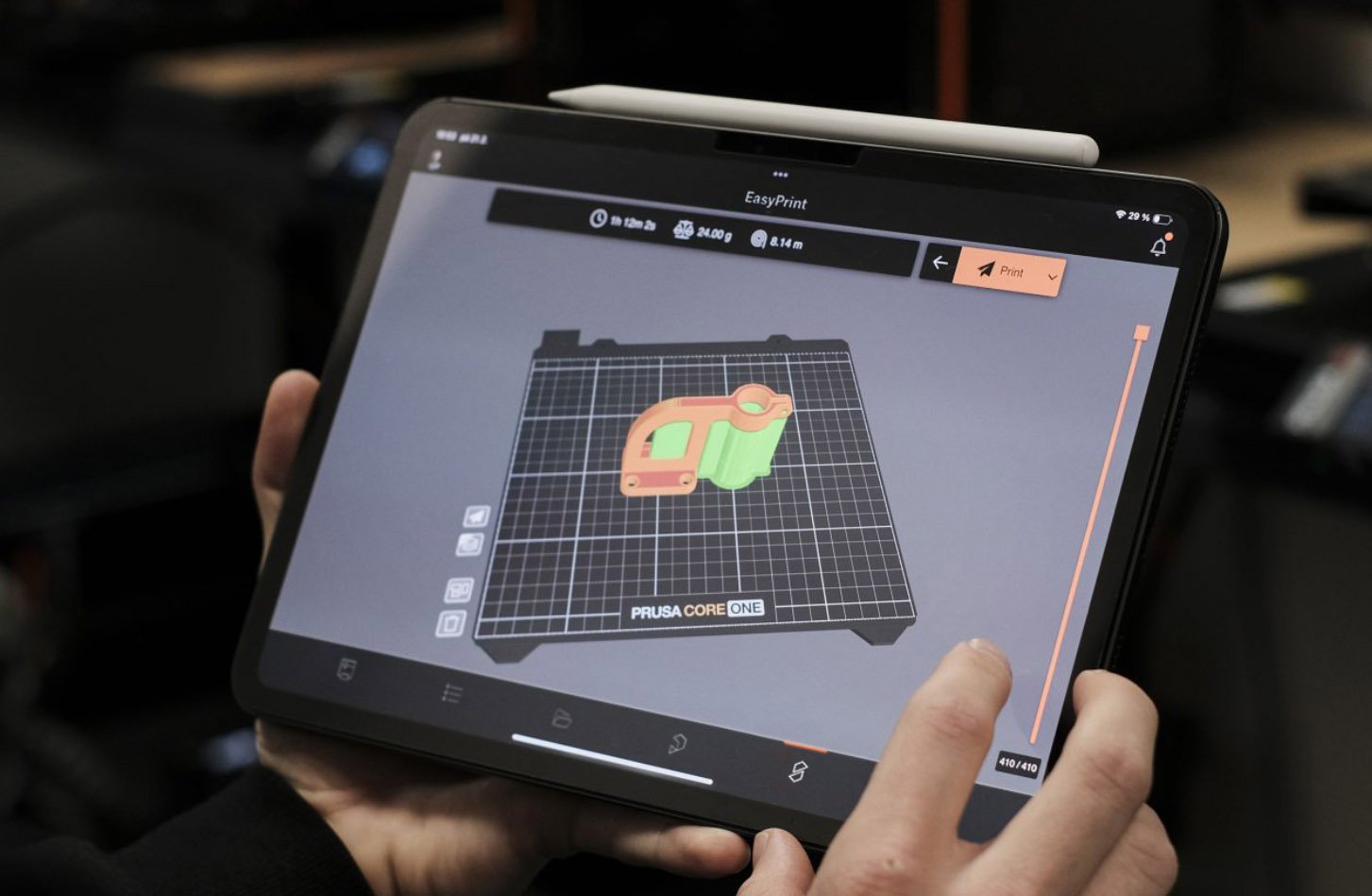
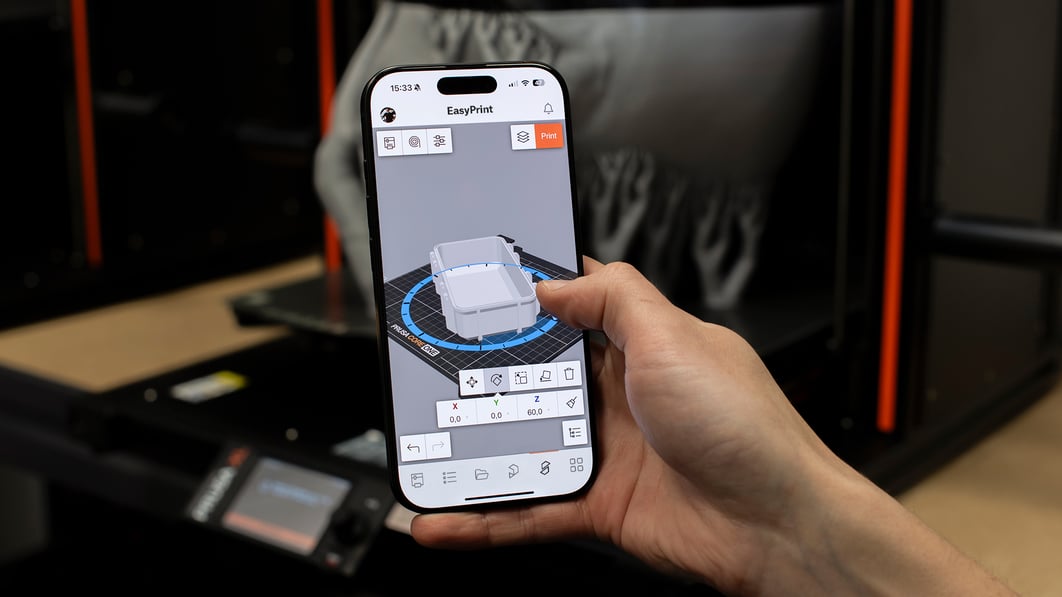
Prusasilcer tablet
Easyprint
Try EasyPrint (it's free)

Grow into it, never out of it.

Three modes: Simple, Advanced, Expert. In one application. Begin with sensible defaults that work out of the box. When you're ready, unlock the full toolbox.

Grafický certifikát a ukázka lekcí online kurzu PrusaSlicer Masterclass na monitoru počítače
Online course

PrusaSlicer Masterclass

A structured learning path with sample projects, quizzes, and an official certificate of completion. Start with the basics, end up a power user.

LEARN MORE

The integration advantage

What you get when the printer, slicer, and filament come from the same team.

200+
Tested profiles
Every Prusa printer and every filament. Validated on real hardware before release.
Auto
Profile updates
Delivered through the built-in updater. No software download required to stay current.
Works offline
No cloud dependency
All slicing happens on your machine. Suitable for air-gapped and secure environments.
End-to-end
Direct file transfer
Send print files to your printer over the local network. No internet connection required.
13
Full-time developers
Sitting in the same building as the firmware and hardware engineers. That's why it all just works together.
Free
All of it
The slicer, the profiles, the updates. Funded by our hardware and filament sales.

PrusaSlicer Newsletter

Get notified about updates and new version releases
Loading form…
https://assets.prusa3d.com/cdn-cgi/image/width=1200,quality=85,format=auto/https://storage.googleapis.com/prusa3d-content-prod-14e8-asset-manager-prod/7628da13-cce4-46ad-87d7-0360c1c630a9.jpg
Open source. European-built.

Your designs stay yours.

All slicing happens locally on your machine. Your 3D models, profiles, and G-code never leave your computer unless you explicitly send them somewhere. Suitable for air-gapped environments and secure manufacturing facilities. PrusaSlicer is based on the original open-source project Slic3r by Alessandro Ranellucci.
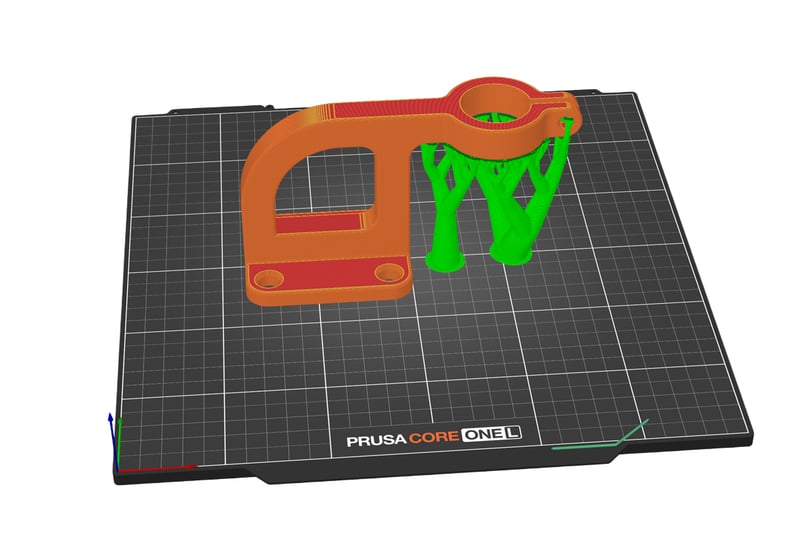
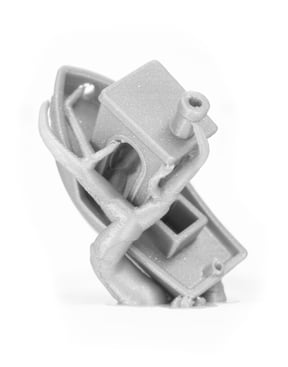
Organic tree supports on a complex figurine showing minimal contact points

Less waste, cleaner surfaces.

The software automatically generates organic-shaped supports that touch the model only where absolutely necessary. This results in dramatically less filament used, almost no marks on the finished surface, and supports that snap off by hand. Need full control? Paint support zones directly onto the model.
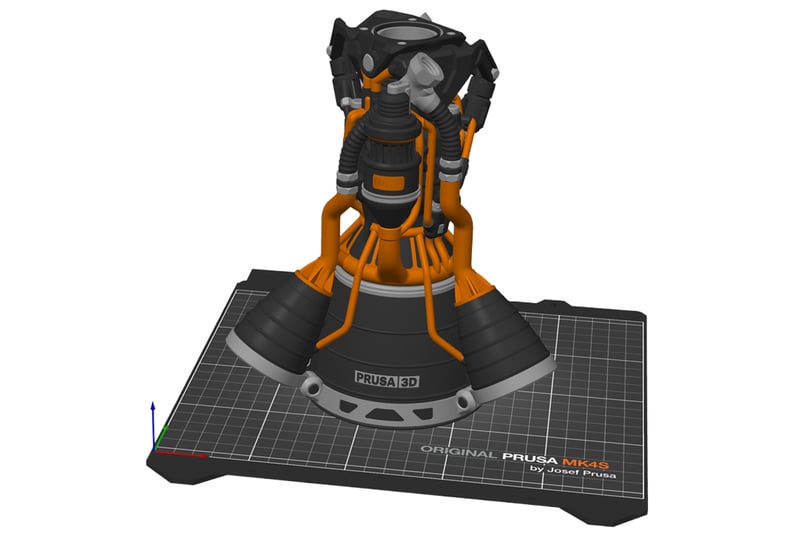
Multi-material painting brush tool applied to a model with multiple color regions

Multi‑material color painting

Paint material regions directly on the model surface using a smart fill and brush tool. Full support for MMU3 and multi-extruder setups. Wipe-into-infill minimizes waste at transitions. For single-extruder printers, schedule filament changes at specific layers for basic multicolor prints without extra hardware.
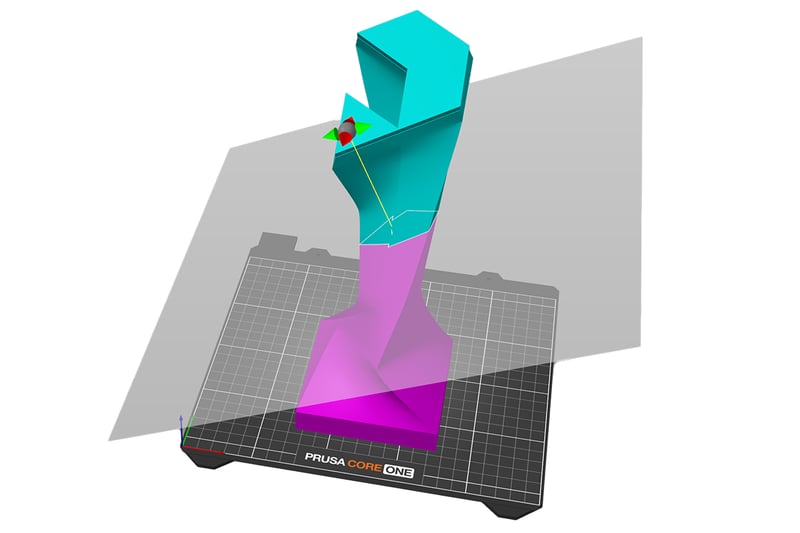
Cut tool splitting a large model with alignment pins shown at the cut interface

Too big? Split it, print it, snap it together.

Model too big for the build plate? Split it with one cut. You choose where the plane goes, and the software adds alignment pins at the seam automatically. Print the pieces and snap them together.
Get the best results with Prusa 3D printers

Most Affordable
Prusa MK4S kit

Prusa MK4S kit

The ultimate STEM project

  • Entry-level printer with seamless operation
  • Open design for easy maintenance
  • Reliable performance
Get MK4S kit
Best seller
Prusa CORE One+

Prusa CORE One+

The Flagship CoreXY

  • Benchmark speed with any material
  • Active chamber temperature control
  • Award-winning exoskeleton design
Get CORE One+
The Bigger CORE One
Prusa CORE One L

Prusa CORE One L

Effortless printing with advanced materials
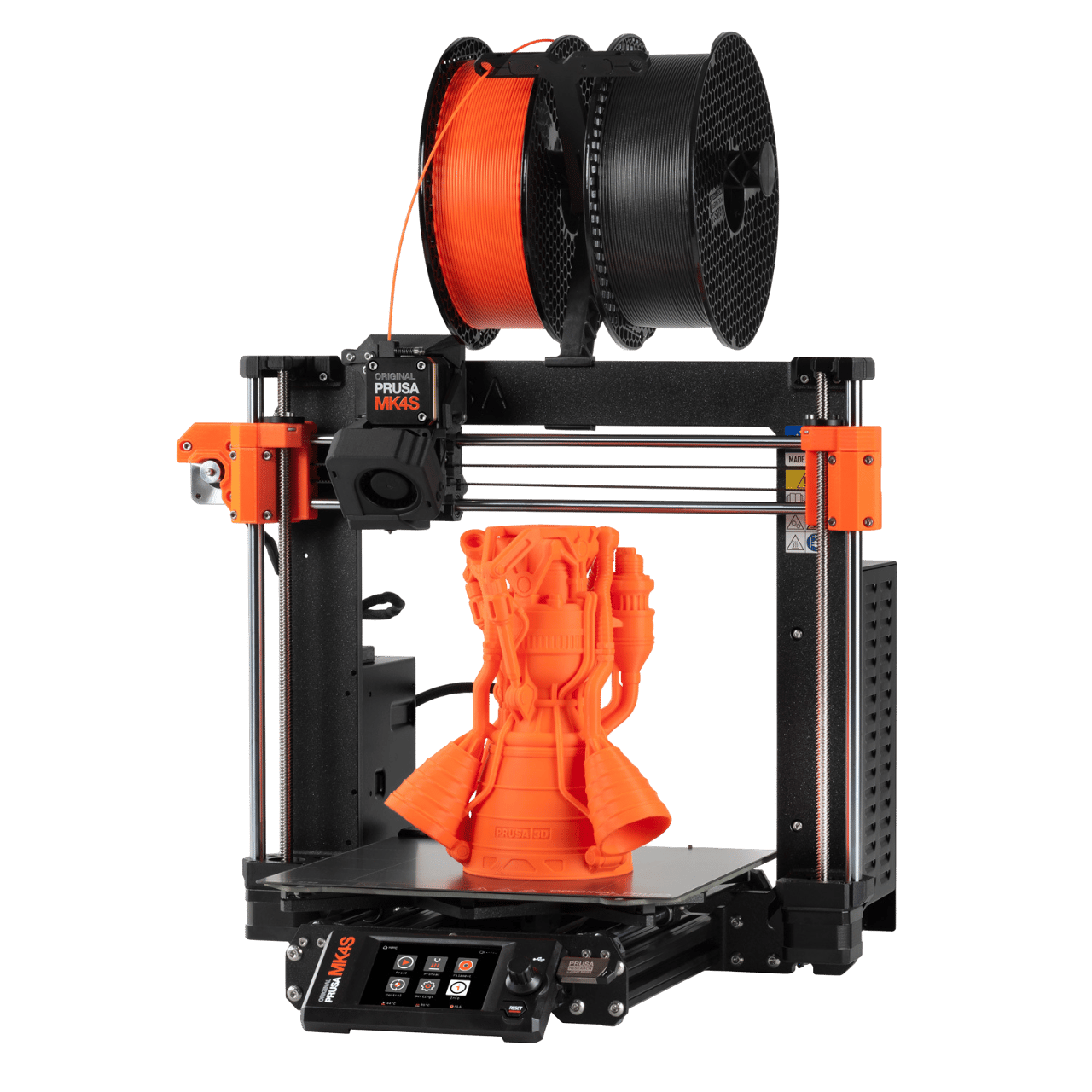
  • Double the CORE One+ build space
  • Top heat distribution
  • Ready for more demanding projects
Get CORE One L
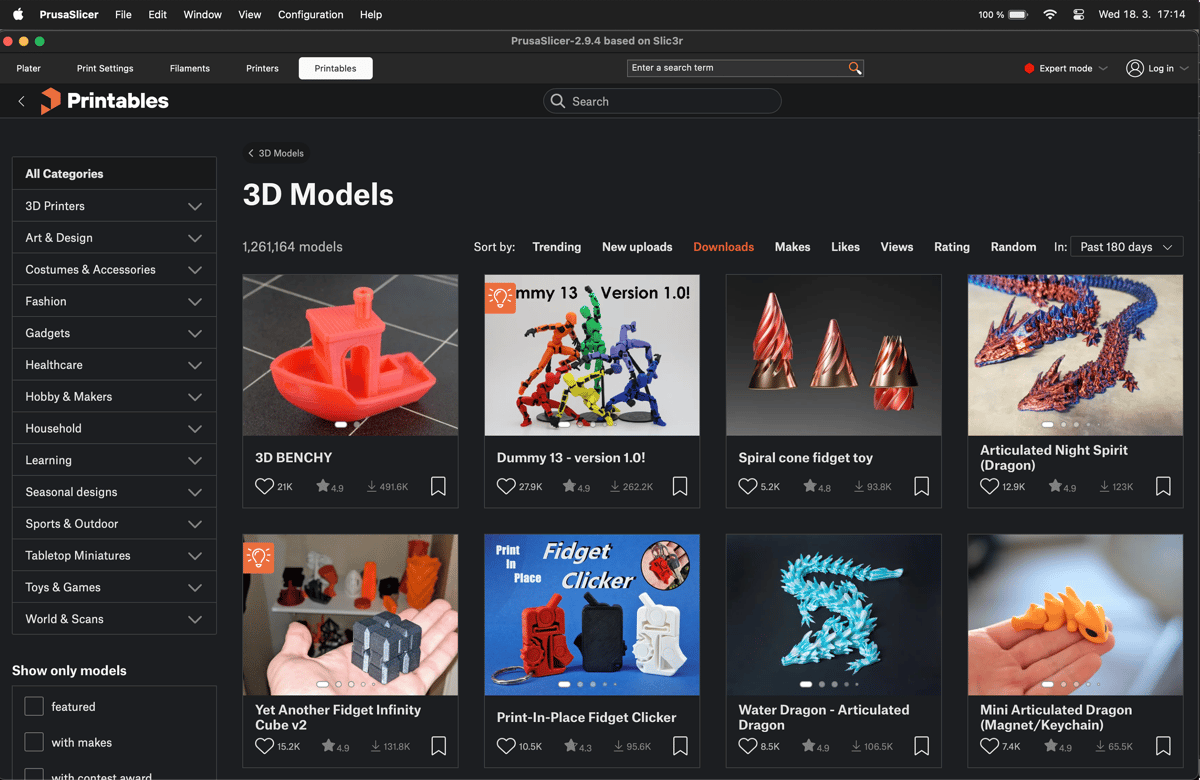
PrusaSlicer with the Printables.com browser panel open showing model search results
No app switching

The whole workflow in one window

PrusaSlicer includes a built-in Printables.com browser. Find a model, import it to the build plate, slice, and send it to the printer without opening a separate app or downloading files manually.

Printables.com hosts over 2 million free models. It's open to all printer brands, no account required to browse.

Advanced features

Integrations and connectivity

Prusa Connect

Remote control

Prusa Connect

Manage your printer fleet via Prusa Connect. Monitor progress, check webcams, and start jobs from any device without compromising privacy.
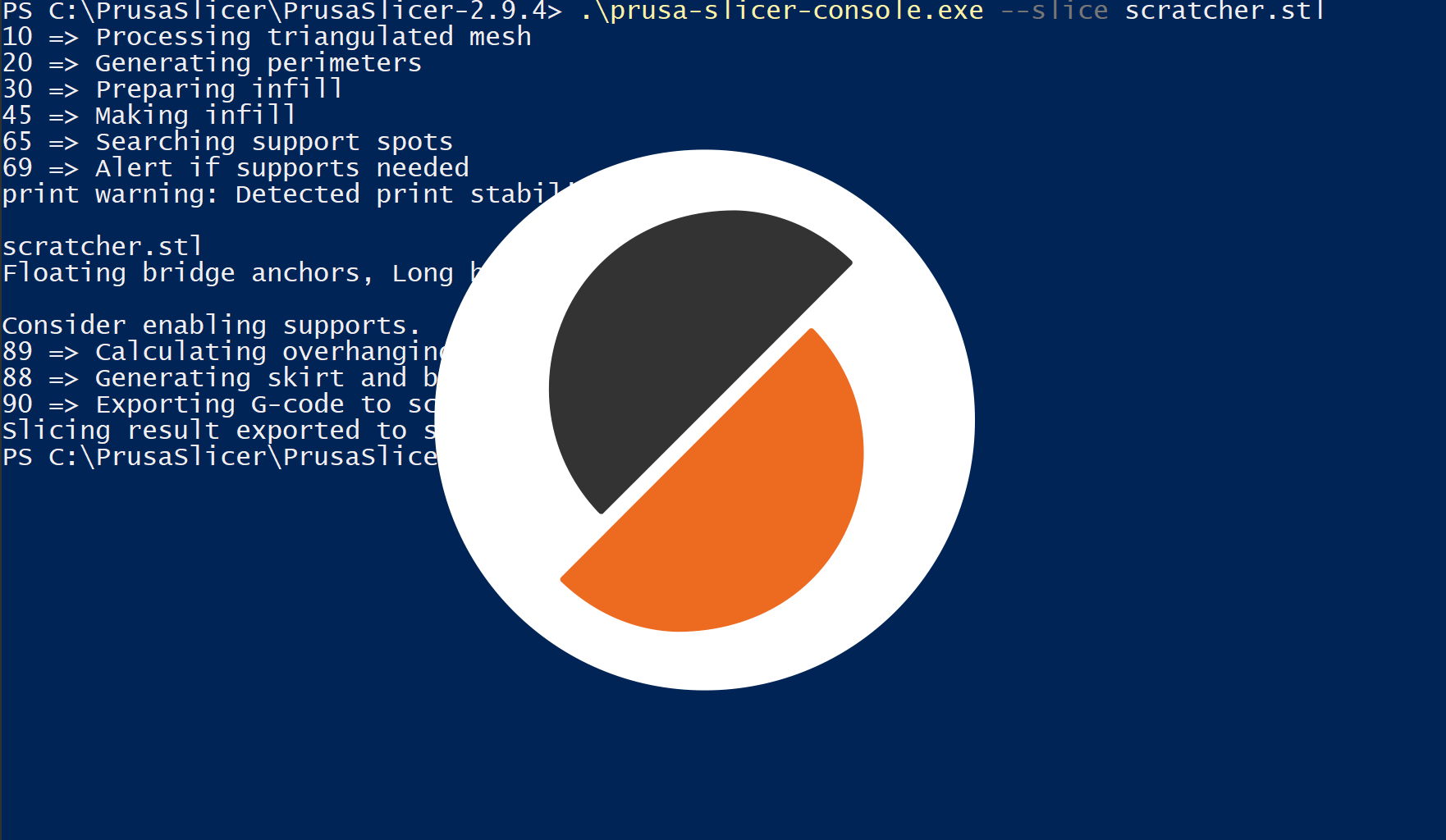
Professional Automation

Enterprise

Professional Automation

Use our robust Command Line Interface (CLI) to batch-slice hundreds of files or integrate with custom manufacturing pipelines.

Klipper

Remote control

Klipper

Send files to your Klipper printer with one click, instead of manual browser uploads or transfering SD cards.

Octoprint

Remote control

Octoprint

Send files to your Octoprint instance with one click. Just fill in the IP address and the API key.