





• 3Dプリンター▾

    3Dプリンター

    Prusa CORE One Lさらに詳しく
    Prusa CORE One+さらに詳しく
    Prusa CORE One L: Critical InfrastructureOriginal Prusa MK4SOriginal Prusa XLOriginal Prusa MINI+Original Prusa XL:クリティカルインフラストラクチャーOriginal Prusa SL1S SPEEDPrusa Pro HT90Prusa Pro SLXPrusa Pro AFSPrusa Signature Oak

    プリンターのアップグレード

    CORE One/+ INDX Conversion KitMMU3 (Multi Material Upgrade)MK4S から CORE One+ コンバージョンキットXL アップグレードXL – シリコンプリンティングツールヘッドMK3S/+ から MK4S
    Prusa 報酬プログラムシェアして、紹介して、特典をゲット。
    3Dプリンターを選び方スペース・予算・用途に合わせて最適なマシンを選ぶための基本をご紹介します。
    無料の電子書籍無料の電子ブック Basics of 3D Printing with Josef Prusa をダウンロードして、3Dプリンティングの世界への第一歩を踏み出しましょう。
    Original Prusa のプリント可能なパーツOriginal Prusa 3Dプリンターとアップグレード用のプリント可能なスペアパーツコレクション。
    配送情報プリンターの現在の生産量と納期に関する情報を定期的に更新しています。
    カスタム3Dプリント様々な素材を使用したプロフェッショナルなカスタム3Dプリントサービス。
  • マテリアル▾

    フィラメント

    PrusamentPLAPETGASA / ABSPCブレンドPA (Nylon)FlexComposites特別Materials clearance sale

    レジン

    Prusament Resin Tough柔軟性標準(タフ、モデル、バイオベース)鋳造
    フィラメントガイドプルサメントスプールをチェック
    Prusament.com
  • 部品 & アクセサリー▾

    アクセサリー

    エンクロージャーノズルスチールシート必須アクセサリーカメラ&アドオンツール&クラフト接着剤

    補修部品

    商品

    スペアパーツ - すべてのプリンターCORE OneMK4/S & MK3.9/SMK3/MK3S/MK3S+XL
    Merch
  • 法人向け▾
    Prusa Pro HT90Prusa Pro SLXPrusa Pro AFSPrusa Pro Medical OneOriginal Prusa XLOriginal Prusa XL:クリティカルインフラストラクチャー
    Prusa CORE One+さらに詳しく
    Prusa CORE One Lさらに詳しく
    Prusa CORE One L: Critical Infrastructure Edition  クリティカルインフラ版(高セキュリティ対応モデル)

    3Dプリンティングの用途

    製造と研究開発自動車産業ヘルスケア教育と学術研究建築家とデザイナー映画産業重要インフラ

    3Dプリンティングのストーリー

    No items yet.

    プルサ正規販売代理店
    サステナビリティ
    Prusa Education
    お問い合わせ・ご連絡
    カスタム3Dプリント
    ISO認証取得
  • ソフトウェア▾
    PrusaSlicer

    PrusaSlicerPrusaSlicer

    PrusaSlicer is an open-source, feature-rich, frequently updated tool that contains everything you need to export the perfect print files for your 3D printer.

    WindowsMacOSLinux
    Prusa Connect

    Prusa Connect

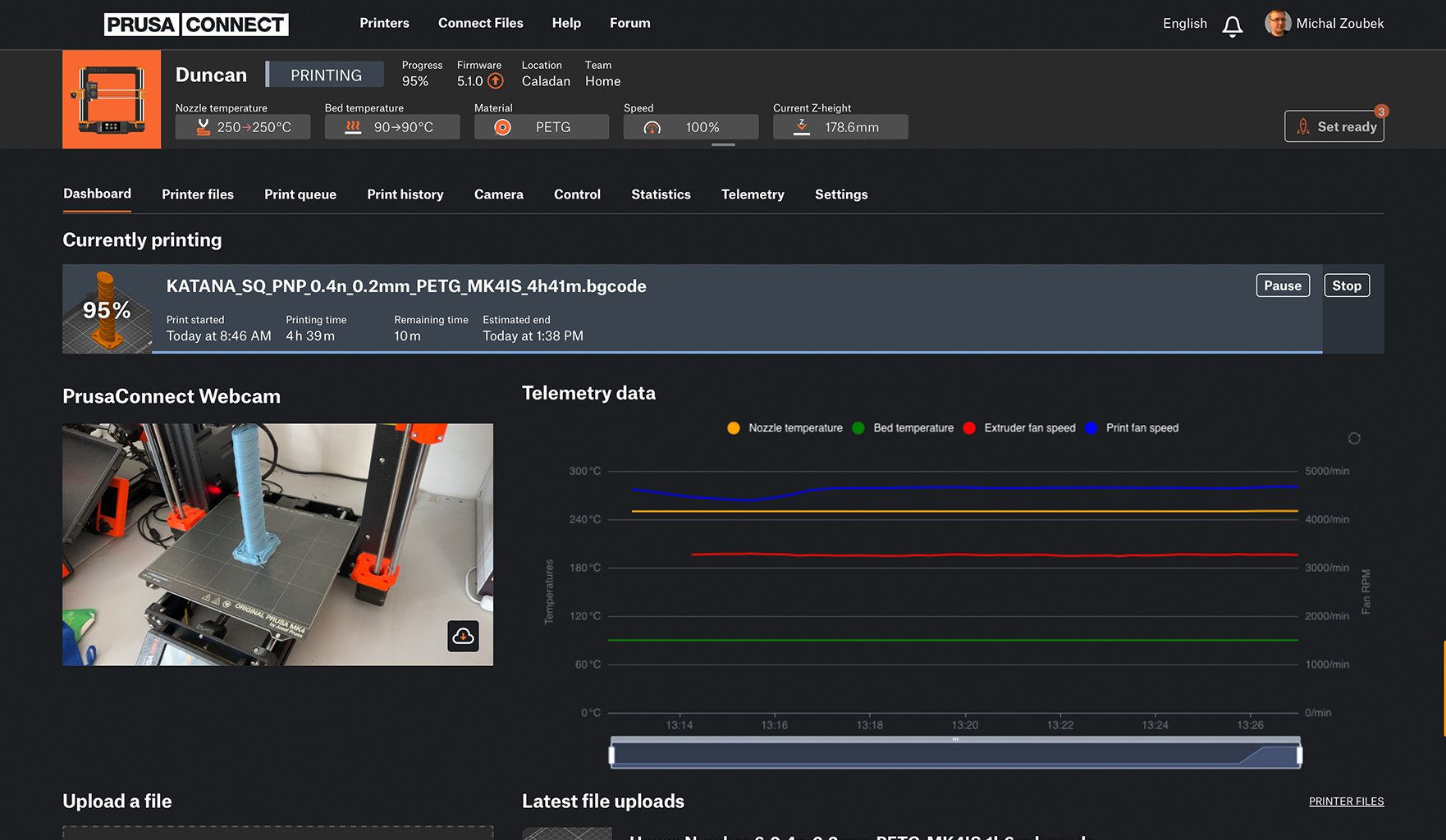
    Prusa Connect is a cloud service enabling remote control and monitoring of your 3D printers, offering secure data handling, easy setup, and support for managing multiple printers from anywhere.

    ログインして接続する
    Prusa.app

    Prusa.app

    Control your printer/s remotely from anywhere using the Prusa Connect technology behind. Prusa.app brings a new level of Prusa printer experience to Android and iOS phones.

    今すぐお試しください!
    ドライバー&ファームウェア3Dプリンタの最新のファームウェアとドライバをダウンロードしてください。
    PrusaSlicer サポート
    Prusa Connect サポート
  • 3Dモデル▾
    3Dプリンターアート&デザインホビー&メーカー日用雑貨テーブルトップミニチュアおもちゃ&ゲームPrintablesストア

    人気の3Dモデル

    • BETTER VENTILATED FUNNEL - PARAMETRIC
    • Dual Color Poker Chips With Numbers
    • DungeonSticks Cathedral / church modular tabletop terrain
    • Fan: Folding Fan
    • Cable Mount
    • Stool is the box

    デザインコンテスト

    • Kappen-Hacks2026/7/10 – 2026/7/26
    • Designer Challenge: Modulares Schubladensystem2026/7/1 – 2026/7/22
    • Clog-Anhänger2026/6/26 – 2026/7/12
  • コミュニティ▾

    イベント情報

    • Open Sauce 20262026/7/17 – 2026/7/19 · California, United States · Prusa Team
    • EAA AirVenture 20262026/7/20 – 2026/7/26 · Wisconsin, United States · Prusa Team
    • Maker Faire Hannover 20262026/8/15 – 2026/8/16 · Niedersachsen, Germany · Prusa Team
    • IFA 20262026/9/4 – 2026/9/8 · Berlin, Germany · Prusa Team

    プルサフォーラム

    • Brush-on primer for PLA
    • COREONE+6.5.7 Firmware issue - Nozzle temperature changes after manual filament change
    • Hula Feet
    プルサワールドマッププルサワールドマップFind local 3D printing users and explore the community around you.
  • ヘルプ▾
    ガイド & チュートリアルPrusaSlicerPrusa Connectマテリアル

    プリンターモデル

    CORE One INDXCORE One LCORE One+CORE One

    ハードウェアのトラブルシューティング

    • Selftest failed (CORE One/+)
    • ホットエンドの詰まり (MK4)
    • ベルトテンションの調整(CORE One L/CORE One)
    • Prusa ConnectとPrusaLink について

    ドライバー&ファームウェア

    INDX familyCORE One familyMK4 familyXL familyMMU familyPRO family
  • コース一覧▾

    3Dプリンティングのエキスパートになろう

    Prusa Academy offers online courses on various 3D printing related topics. Each course features:

    • easy-to-read text with many pictures and short videos
    • links for inspiration and further study
    • quizzes for testing your knowledge along the way
    • certificate of completion

    コース一覧

    • 3D Printing and Modeling for Beginners (MK3S+)
    • 3D Printing and Modeling for Beginners (MINI+)
    • Design Principles for 3D Printed Parts
    • Complete Guide to 3D Print Postprocessing, Painting, and Detailing
    • Airbrush Your 3D Prints: From Basics to Advanced Tricks
    • 3D Modeling in Autodesk Fusion
    • 3D Printing and Modeling for Beginners (MK4)
    • 3D Print Photography: The Complete Guide
    • 3D Printing and Modeling for Beginners (MK4S)
    • PrusaSlicerマスタークラス – 初心者から上級者まで
    • 3D Printing and Modeling for Beginners (CORE One/+)
    • 3D Printing and Modeling for Beginners (XL)
    • Miniature Painting for Beginners
    • 3D Printing and Modeling for Beginners (CORE One L)
  • ブログ▾
    • Prusament PLA High Speed:ラピッドプロトタイピングに最適な選択
    • カスタム3Dプリントマクロパッドでスマートホームを一括操作
    • ColorMix Shading登場:無料アプリで3Dモデルにリアルなライティング表現を追加する方法
    電子書籍: 3Dプリンティングの基礎
  • 会社概要▾

    Prusa Research について

    We are the largest maker of 3D printers in Europe and the United States.

    Founded as a one-man startup in 2012 by Josef Prusa, a Czech hobbyist, maker, and inventor. In just 15 years, we've grown into a company of more than 1,200 people. Every month, we design, build, and ship over 10,000 innovative and secure 3D printers from our headquarters in Prague, Czech Republic, and Delaware, USA, to users in more than 160 countries.

    Watch a video and find out how Prusa Research was born and what we achieved within only 10 years!

    私たちについてタイムラインサステナビリティOpen-source
    私たちについて
    お問い合わせ
    ロゴ&写真
    ISO認証取得

ブログ

  • Prusament PLA High Speed:ラピッドプロトタイピングに最適な選択
  • カスタム3Dプリントマクロパッドでスマートホームを一括操作
  • ColorMix Shading登場:無料アプリで3Dモデルにリアルなライティング表現を追加する方法

ニュースレター

ご登録いただくと、毎月 新しいファームウェア、PrusaSlicerの新バージョン、3Dプリントプロジェクトの一般的なヒントなど、役立つ情報をお届けします。

クリックして、ニュースレターを受け取る。

このサイトはreCAPTCHA Enterpriseによって保護されており、Googleのプライバシーポリシーと利用規約が適用されます。

BETTER VENTILATED FUNNEL - PARAMETRIC
E-shop
  • 3Dプリンター
  • プリンターのアップグレード
  • フィラメント
  • アクセサリー
  • Prusa 商品

© Prusa Research a.s.

Printables
  • 3Dモデル
  • Store
  • Clubs
  • 3Dデザインコンテスト
  • Brands
コミュニティ
  • ワールドマップ
  • フォーラム
  • ユーザーグループ
  • イベント
ヘルプ
  • Prusa ヘルプ
  • Prusa アカデミー
  • 3Dプリンティング計算機
ソフトウェア
  • PrusaSlicer
  • Prusa.app
  • Prusa Connect
  • ドライバーとソフトウェア
会社概要
  • 私たちについて
  • Blog
  • プルサ正規販売代理店
  • お問い合わせ
  • ISO 9001・ISO 14001・ISO 45001 認証取得済み
  • 一般利用規約
  • PRUSAウェブサイト利用のための一般利用規約
  • プライバシーポリシー
  • クッキーに関する情報
  • お客様の苦情対応に関する方針
  • Webサイトのステータスページ
  • Cookie 設定
  • 一般利用規約
  • PRUSAウェブサイト利用のための一般利用規約
  • プライバシーポリシー
  • クッキーに関する情報
  • お客様の苦情対応に関する方針
  • Webサイトのステータスページ
  • Cookie 設定

© Prusa Research a.s.

JOSEF PRUSA®、PRUSA RESEARCH®、PRUSA POLYMERS®、PRUSA ORANGE®、PRUSA 3D ® および PRUSAMENT® は、Prusa Development a.s. の登録商標であり、Prusa Research a.s. が Prusa Development a.s. からのライセンスに基づき使用しています。

PrusaSlicer

Turn a 3D file into a finished part. The software that powers the 3D printing industry. Free. Open-source. No account required. Runs on your machine.

v2.9.6Released 2026年6月25日

PrusaSlicer 2.9.6 for Windows (64-bit). Requires Windows 10 or later.

View all releases on GitHub →
Change logGithubDocumentation
Desktop, tablet or phone?

You don't have to choose.

PrusaSlicer & EasyPrint

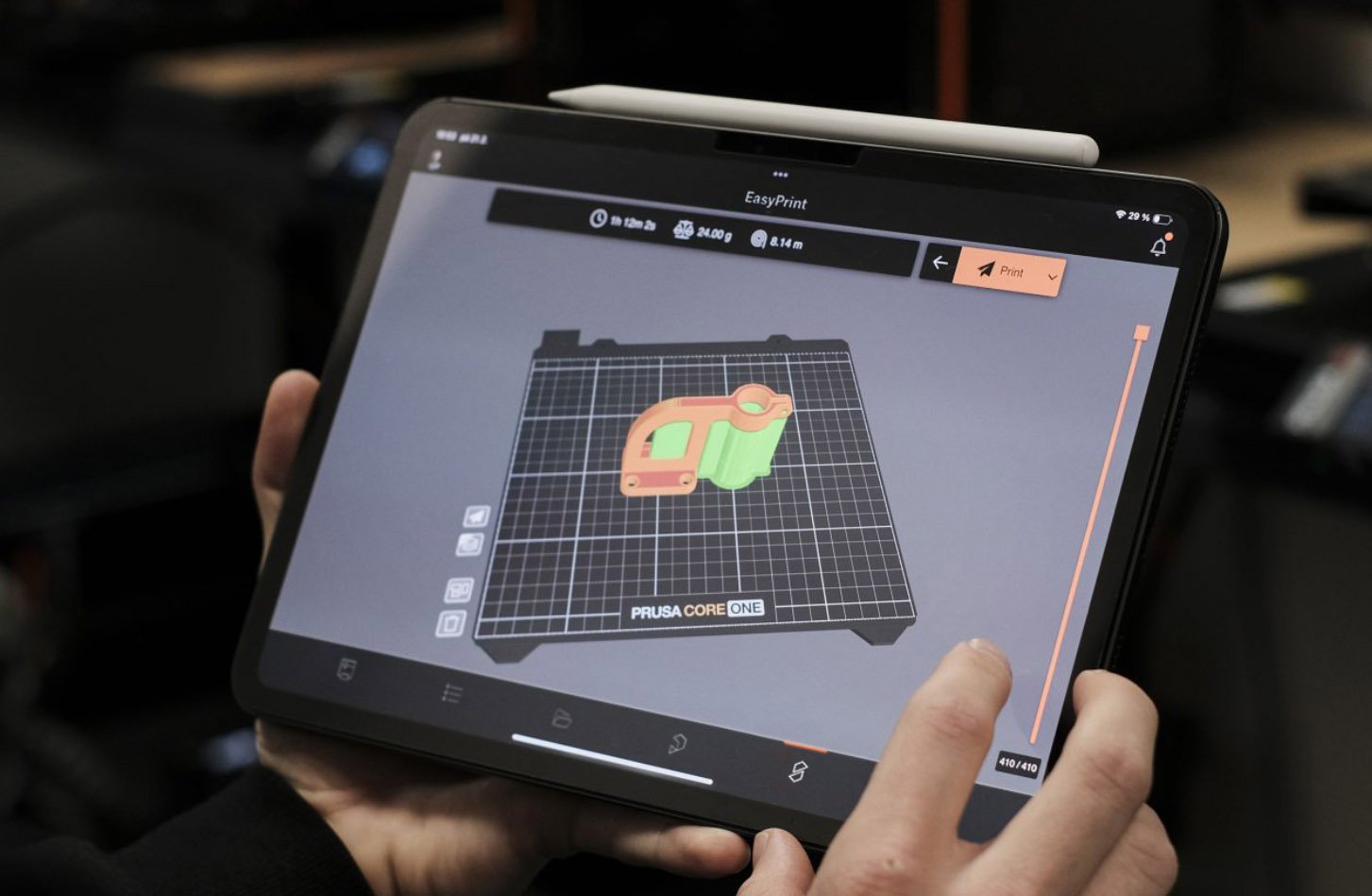
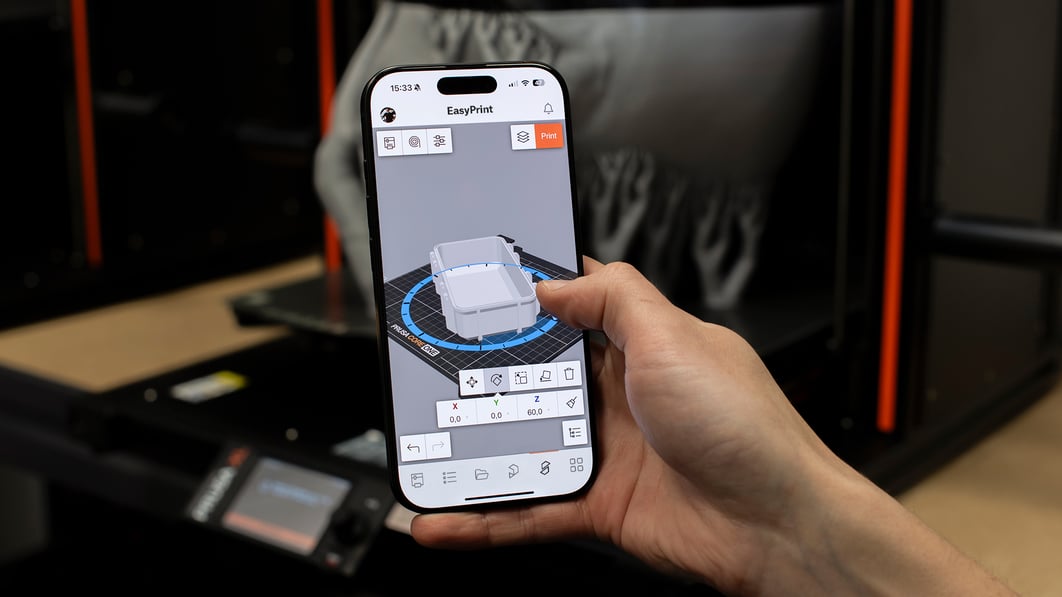
PrusaSlicer runs on Windows, Mac, and Linux. Need to start a print from the shop floor or the couch? EasyPrint uses the same proven engine on our servers, with a touch-friendly interface on your phone or tablet.

Prusasilcer tablet
Easyprint
Try EasyPrint (it's free)

Grow into it, never out of it.

Three modes: Simple, Advanced, Expert. In one application. Begin with sensible defaults that work out of the box. When you're ready, unlock the full toolbox.

Grafický certifikát a ukázka lekcí online kurzu PrusaSlicer Masterclass na monitoru počítače
Online course

PrusaSlicer Masterclass

A structured learning path with sample projects, quizzes, and an official certificate of completion. Start with the basics, end up a power user.

LEARN MORE

The integration advantage

What you get when the printer, slicer, and filament come from the same team.

200+
Tested profiles
Every Prusa printer and every filament. Validated on real hardware before release.
Auto
Profile updates
Delivered through the built-in updater. No software download required to stay current.
Works offline
No cloud dependency
All slicing happens on your machine. Suitable for air-gapped and secure environments.
End-to-end
Direct file transfer
Send print files to your printer over the local network. No internet connection required.
13
Full-time developers
Sitting in the same building as the firmware and hardware engineers. That's why it all just works together.
Free
All of it
The slicer, the profiles, the updates. Funded by our hardware and filament sales.

PrusaSlicer Newsletter

Get notified about updates and new version releases

Loading form…
https://assets.prusa3d.com/cdn-cgi/image/width=1200,quality=85,format=auto/https://storage.googleapis.com/prusa3d-content-prod-14e8-asset-manager-prod/7628da13-cce4-46ad-87d7-0360c1c630a9.jpg
Open source. European-built.

Your designs stay yours.

All slicing happens locally on your machine. Your 3D models, profiles, and G-code never leave your computer unless you explicitly send them somewhere. Suitable for air-gapped environments and secure manufacturing facilities. PrusaSlicer is based on the original open-source project Slic3r by Alessandro Ranellucci.

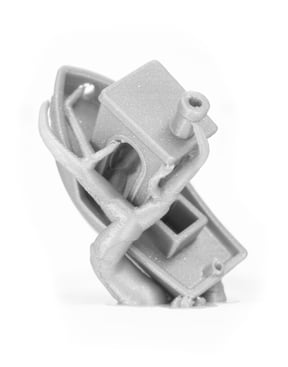
Organic tree supports on a complex figurine showing minimal contact points

Less waste, cleaner surfaces.

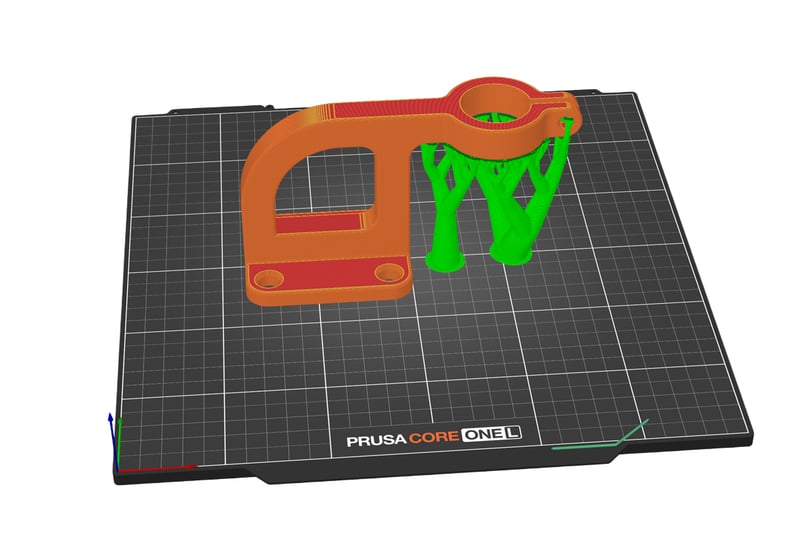
The software automatically generates organic-shaped supports that touch the model only where absolutely necessary. This results in dramatically less filament used, almost no marks on the finished surface, and supports that snap off by hand. Need full control? Paint support zones directly onto the model.

Multi-material painting brush tool applied to a model with multiple color regions

Multi‑material color painting

Paint material regions directly on the model surface using a smart fill and brush tool. Full support for MMU3 and multi-extruder setups. Wipe-into-infill minimizes waste at transitions. For single-extruder printers, schedule filament changes at specific layers for basic multicolor prints without extra hardware.

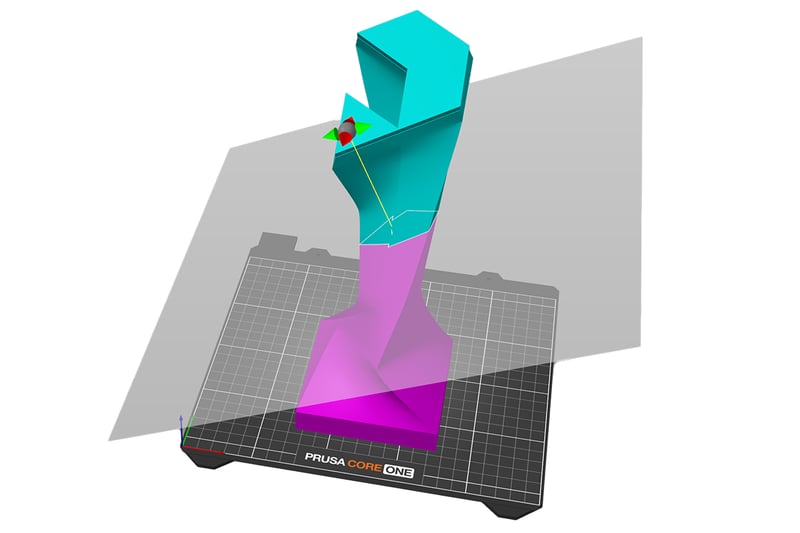
Cut tool splitting a large model with alignment pins shown at the cut interface

Too big? Split it, print it, snap it together.

Model too big for the build plate? Split it with one cut. You choose where the plane goes, and the software adds alignment pins at the seam automatically. Print the pieces and snap them together.

Get the best results with Prusa 3D printers

Most Affordable
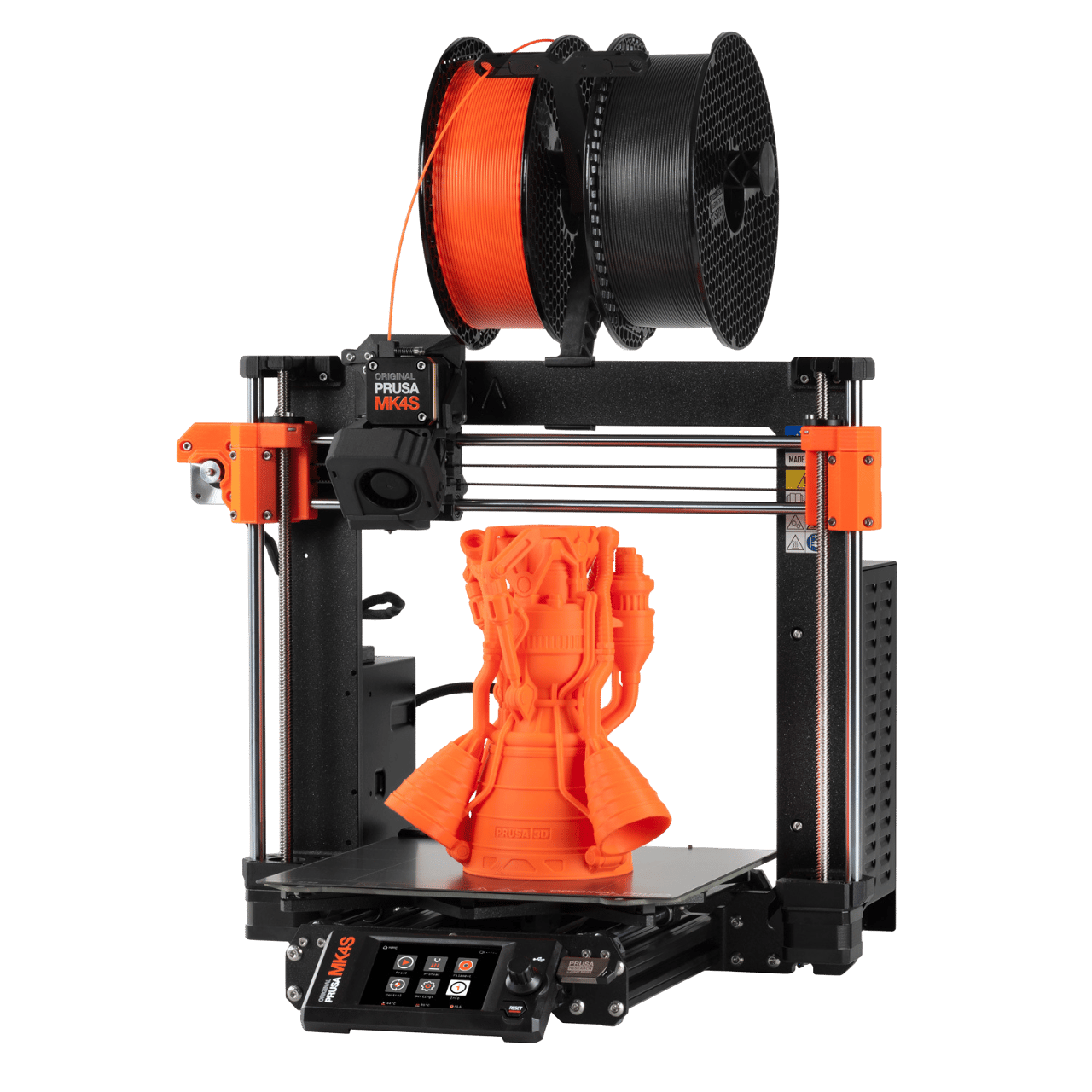
Prusa MK4S kit

Prusa MK4S kit

The ultimate STEM project

  • Entry-level printer with seamless operation
  • Open design for easy maintenance
  • Reliable performance
Get MK4S kit
Best seller
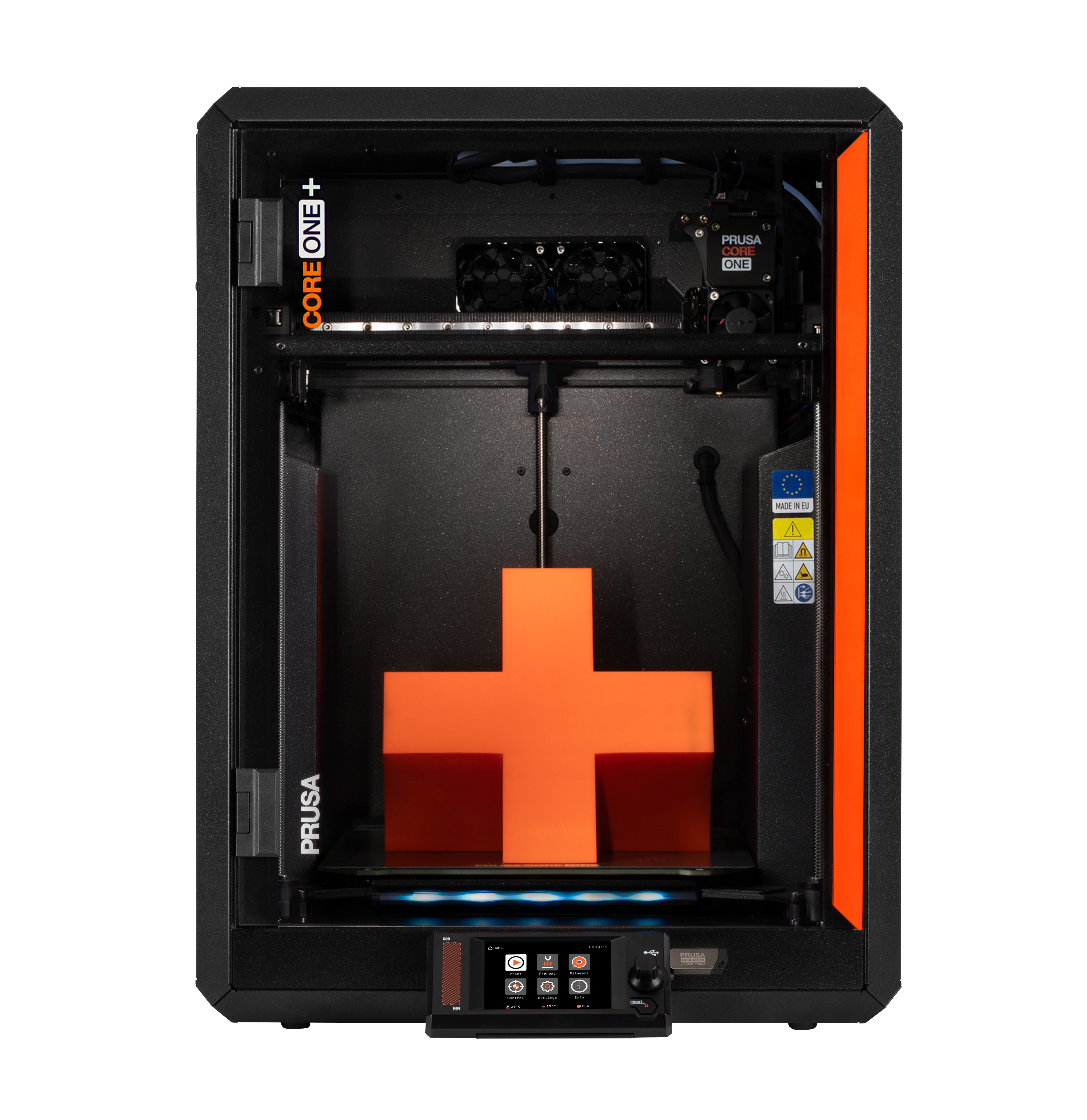
Prusa CORE One+

Prusa CORE One+

The Flagship CoreXY

  • Benchmark speed with any material
  • Active chamber temperature control
  • Award-winning exoskeleton design
Get CORE One+
The Bigger CORE One
Prusa CORE One L

Prusa CORE One L

Effortless printing with advanced materials

  • Double the CORE One+ build space
  • Top heat distribution
  • Ready for more demanding projects
Get CORE One L
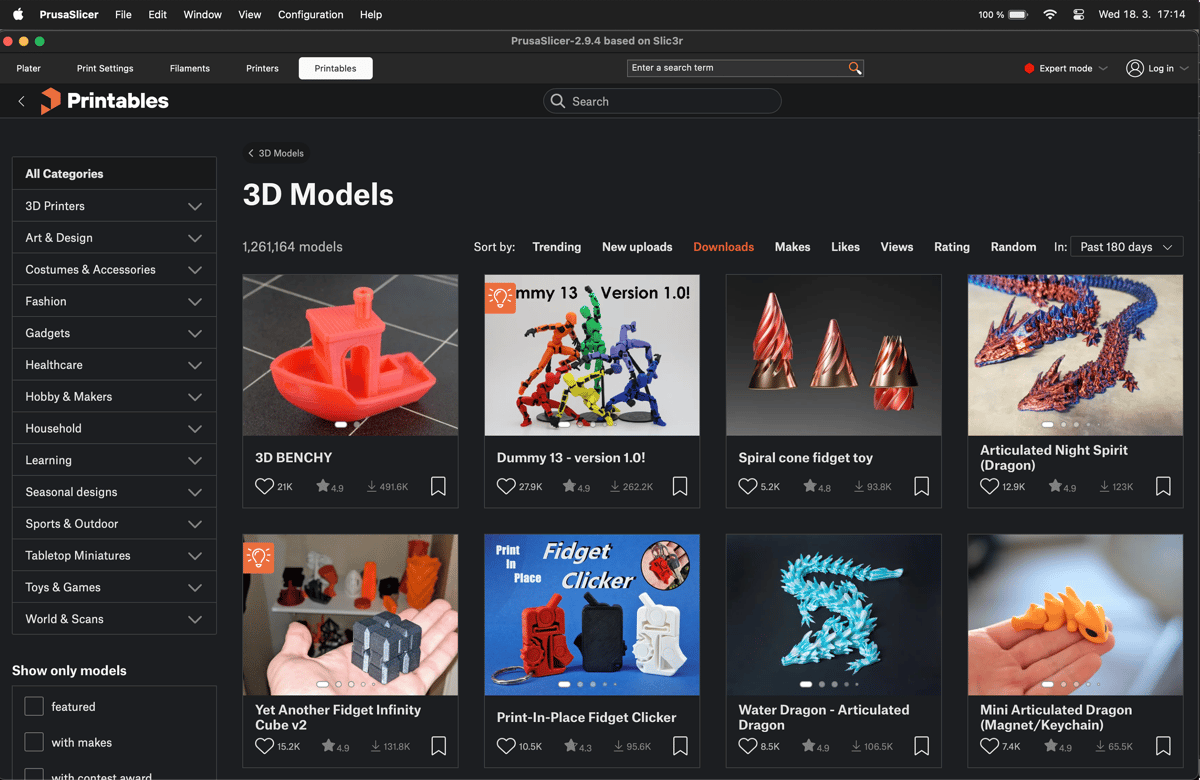
PrusaSlicer with the Printables.com browser panel open showing model search results
No app switching

The whole workflow in one window

PrusaSlicer includes a built-in Printables.com browser. Find a model, import it to the build plate, slice, and send it to the printer without opening a separate app or downloading files manually.

Printables.com hosts over 2 million free models. It's open to all printer brands, no account required to browse.

Advanced features

Integrations and connectivity

Prusa Connect

Remote control

Prusa Connect

Manage your printer fleet via Prusa Connect. Monitor progress, check webcams, and start jobs from any device without compromising privacy.

Professional Automation

Enterprise

Professional Automation

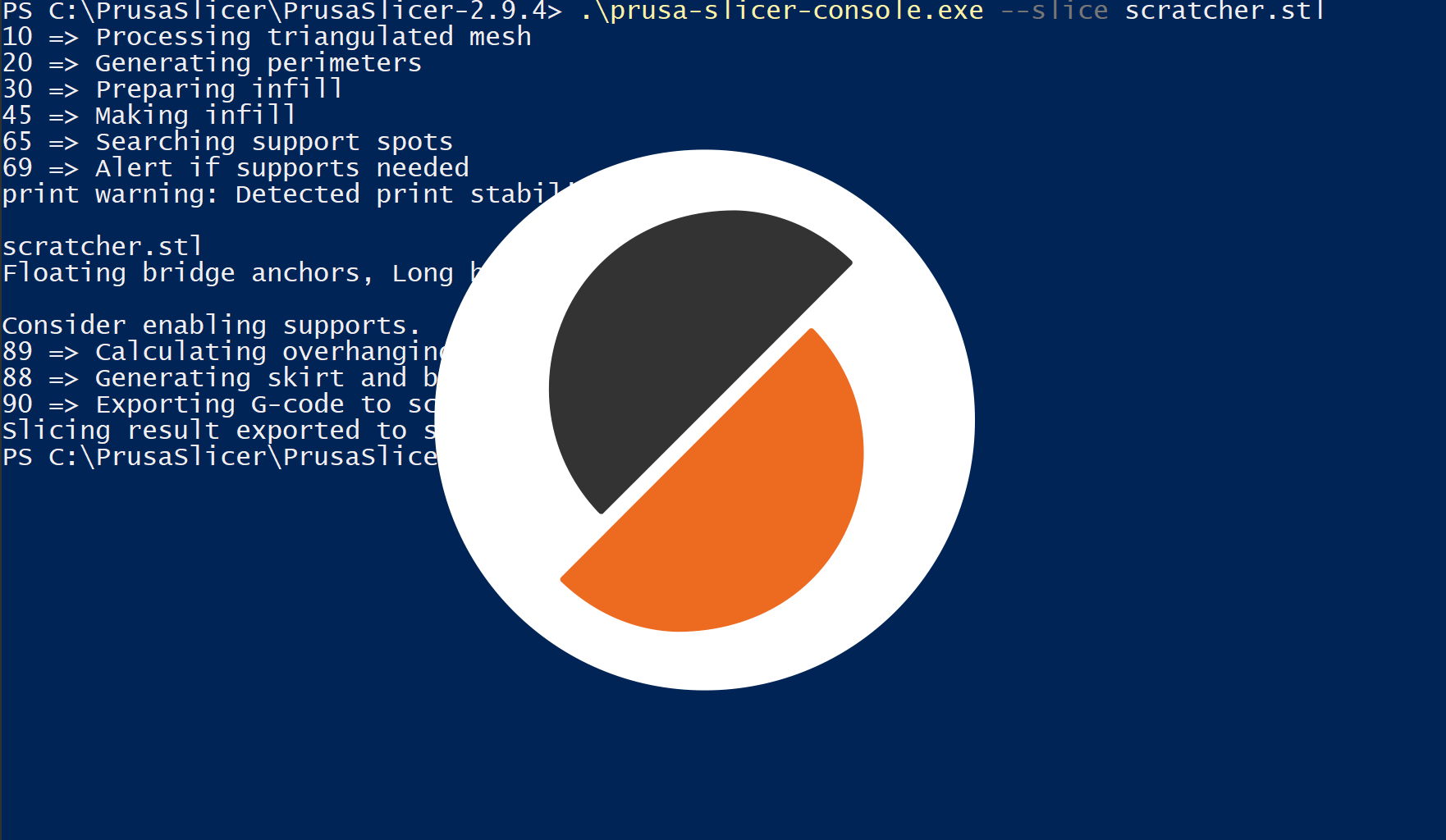
Use our robust Command Line Interface (CLI) to batch-slice hundreds of files or integrate with custom manufacturing pipelines.

Klipper

Remote control

Klipper

Send files to your Klipper printer with one click, instead of manual browser uploads or transfering SD cards.

Octoprint

Remote control

Octoprint

Send files to your Octoprint instance with one click. Just fill in the IP address and the API key.