






• 3D printers▾

    3D printers

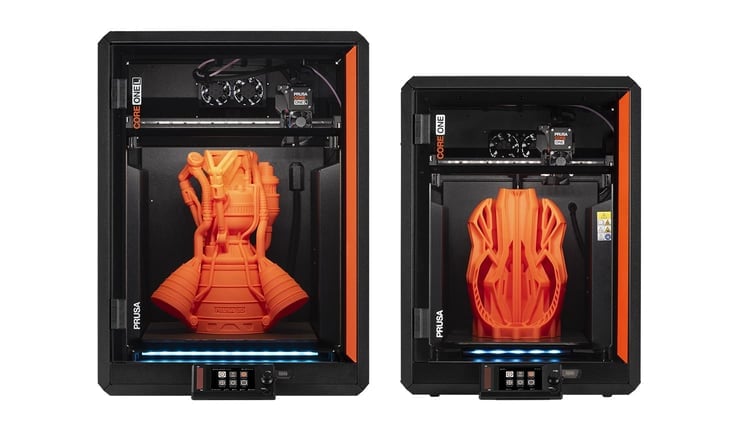
    Prusa CORE One LLearn more
    Prusa CORE One+Learn more
    Prusa CORE One L: Critical InfrastructureOriginal Prusa MK4SOriginal Prusa XLOriginal Prusa MINI+Original Prusa XL: Critical InfrastructureOriginal Prusa SL1S SPEEDPrusa Pro HT90Prusa Pro SLXPrusa Pro AFSPrusa Signature Oak

    Printer upgrades

    CORE One/+ INDX Conversion KitMMU3 (Multi Material Upgrade)MK4S to CORE One+ Conversion KitXL Toolhead UpgradesXL - Silicone Printing ToolheadMK3S/+ to MK4S
    Prusa Reward ProgramLove your Prusa printer? Share your experience and earn $30 Prusa e-shop vouchers.
    How to Choose a 3D Printer?We’ll walk you through the basics to find the exact machine for your space, budget, and ideas.
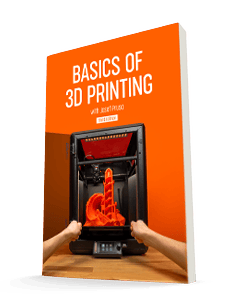
    Free E-bookDownload a free e-book Basics of 3D Printing with Josef Prusa and make your first steps in 3D printing world
    Original Prusa Printable PartsCollections of printable spare parts for Original Prusa 3D printers and upgrades.
    Shipping informationRegularly updated info about the current manufacturing capacity and delivery times of our printers.
    Custom 3D PrintingProfessional custom 3D printing from various materials according to your requirements.
  • Materials▾

    Filaments

    PrusamentPLAPETGASA / ABSPC (Polycarbonate)PA (Nylon)FlexCompositesSpecialMaterials clearance sale

    Resins

    Prusament ResinEngineeringStandard (Tough, Model, BioBased)Medical
    Filament GuideCheck my Prusament Spool
    Prusament.com
  • Parts & Accessories▾

    Accessories

    EnclosuresNozzlesPrint SheetsEssential AccessoriesCameras & AddonsTools & CraftingAdhesives

    Spare parts

    Merchandise

    Spare parts - All PrintersCORE OneMK4/S & MK3.9/SMK3/S/+XL
    Merch
  • For Business▾
    Prusa Pro HT90Prusa Pro SLXPrusa Pro AFSPrusa Pro Medical OneOriginal Prusa XLOriginal Prusa XL: Critical Infrastructure
    Prusa CORE One+Learn more
    Prusa CORE One LLearn more
    Prusa CORE One L: Critical Infrastructure Edition

    3D Printing for

    Manufacturing and R&DAutomotive IndustryHealthcareEducation and Academic ResearchArchitects and DesignersFilm IndustryCritical Infrastructure

    3D Printing Stories

    • How 3D printing started: About Rep-rap and open-source with Adrian Bowyer
    • Teaching mathematics redefined with 3D printing at JKU Linz
    • The story behind the LTT screwdriver
    • Victoria Hand Project: Changing Prosthetic Care with 3D Printing
    Official Prusa Resellers
    Sustainability
    Prusa Education
    Contact and Inquiry
    Custom 3D Printing
    ISO Certified
  • Software▾
    PrusaSlicer

    PrusaSlicerPrusaSlicer

    PrusaSlicer is an open-source, feature-rich, frequently updated tool that contains everything you need to export the perfect print files for your 3D printer.

    WindowsMacOSLinux
    Prusa Connect

    Prusa Connect

    Prusa Connect is a cloud service enabling remote control and monitoring of your 3D printers, offering secure data handling, easy setup, and support for managing multiple printers from anywhere.

    Log in to Connect
    Prusa.app

    Prusa.app

    Control your printer/s remotely from anywhere using the Prusa Connect technology behind. Prusa.app brings a new level of Prusa printer experience to Android and iOS phones.

    Try it now!
    Drivers & FirmwareDownload the latest firmware and drivers for your 3D printer.
    PrusaSlicer Support
    Prusa Connect Support
  • 3D Models▾
    3D PrintersArt & DesignHobby & MakersHouseholdTabletop MiniaturesToys & GamesPrintables Store

    Popular 3D models

    • BETTER VENTILATED FUNNEL - PARAMETRIC
    • Dual Color Poker Chips With Numbers
    • DungeonSticks Cathedral / church modular tabletop terrain
    • Fan: Folding Fan
    • Cable Mount
    • Stool is the box

    Design Contests

    • Kappen-Hacks7/10/2026 – 7/26/2026
    • Designer Challenge: Modulares Schubladensystem7/1/2026 – 7/22/2026
    • Clog-Anhänger6/26/2026 – 7/12/2026
  • Community▾

    Upcoming Events

    • Open Sauce 20267/17/2026 – 7/19/2026 · California, United States · Prusa Team
    • EAA AirVenture 20267/20/2026 – 7/26/2026 · Wisconsin, United States · Prusa Team
    • Maker Faire Hannover 20268/15/2026 – 8/16/2026 · Niedersachsen, Germany · Prusa Team
    • IFA 20269/4/2026 – 9/8/2026 · Berlin, Germany · Prusa Team

    Prusa Forum

    • Brush-on primer for PLA
    • COREONE+6.5.7 Firmware issue - Nozzle temperature changes after manual filament change
    • Hula Feet
    Prusa World MapPrusa World MapFind local 3D printing users and explore the community around you.
  • Help▾
    Guides & TutorialsPrusaSlicerPrusa ConnectMaterials

    Printer Model

    CORE One INDXCORE One LCORE One+CORE One

    Hardware Troubleshooting

    • Selftest failed (CORE One/+)
    • Clogged nozzle (CORE One, CORE One L, XL, MK4/S, MK3.9/S)
    • Adjusting belt tension (CORE One L, CORE One)
    • Prusa Connect and PrusaLink explained

    Drivers & Firmware

    INDX familyCORE One familyMK4 familyXL familyMMU familyPRO family
  • Courses▾

    Become an expert in 3D printing

    Prusa Academy offers online courses on various 3D printing related topics. Each course features:

    • easy-to-read text with many pictures and short videos
    • links for inspiration and further study
    • quizzes for testing your knowledge along the way
    • certificate of completion

    Courses

    • 3D Printing and Modeling for Beginners (MK3S+)
    • 3D Printing and Modeling for Beginners (MINI+)
    • Design Principles for 3D Printed Parts
    • Complete Guide to 3D Print Postprocessing, Painting, and Detailing
    • Airbrush Your 3D Prints: From Basics to Advanced Tricks
    • 3D Modeling in Autodesk Fusion
    • 3D Printing and Modeling for Beginners (MK4)
    • 3D Print Photography: The Complete Guide
    • 3D Printing and Modeling for Beginners (MK4S)
    • PrusaSlicer Masterclass – Beginner to Advanced
    • 3D Printing and Modeling for Beginners (CORE One/+)
    • 3D Printing and Modeling for Beginners (XL)
    • Miniature Painting for Beginners
    • 3D Printing and Modeling for Beginners (CORE One L)
  • Blog▾
    • State of INDX – July 2026 Update: Founders Edition Shipping + What’s Next
    • Flash Summer Deal 2026: 20% Off MK4S & Reduced CORE One+ Shipping!
    • Open Community License v1.1: The New Plugin System, More Examples, and Your Questions Answered
    E-Book: Basics of 3D Printing
  • Company▾

    About Prusa Research

    We are the largest maker of 3D printers in Europe and the United States.

    Founded as a one-man startup in 2012 by Josef Prusa, a Czech hobbyist, maker, and inventor. In just 15 years, we've grown into a company of more than 1,200 people. Every month, we design, build, and ship over 10,000 innovative and secure 3D printers from our headquarters in Prague, Czech Republic, and Delaware, USA, to users in more than 160 countries.

    Watch a video and find out how Prusa Research was born and what we achieved within only 10 years!

    About UsTimelineSustainabilityOpen-source
    About Us
    Contact Us
    Logo and Photos
    ISO Certified

Blog

  • State of INDX – July 2026 Update: Founders Edition Shipping + What’s Next
  • Flash Summer Deal 2026: 20% Off MK4S & Reduced CORE One+ Shipping!
  • Open Community License v1.1: The New Plugin System, More Examples, and Your Questions Answered

Newsletter

Signup and get our monthly squeeze on updates, blog, printables and much more.

By clicking, you agree to receive our newsletter.

This site is protected by reCAPTCHA Enterprise and the Google Privacy Policy and Terms of Service apply.

BETTER VENTILATED FUNNEL - PARAMETRIC
E-shop
  • 3D Printers
  • Printer Upgrades
  • Filaments
  • Accessories
  • Prusa Merchandise

© Prusa Research a.s.

Printables
  • 3D Models
  • Store
  • Clubs
  • 3D Design Contests
  • Brands
Community
  • World Map
  • Forum
  • User Groups
  • Events
Help
  • Prusa Help
  • Prusa Academy
  • 3D Printing Calculators
Software
  • PrusaSlicer
  • Prusa.app
  • Prusa Connect
  • Drivers and Software
Company
  • About Us
  • Blog
  • Official Prusa Resellers
  • Contact Us
  • Certified for ISO 9001, ISO 14001, ISO 45001
  • General Terms and Conditions
  • General Terms and Conditions of Use of the PRUSA Websites
  • Privacy Policy
  • Information about cookies
  • Customer Complaints Policy
  • Status Page
  • Do Not Sell or Share My Personal Information
  • Supplemental Statements
  • General Terms and Conditions
  • General Terms and Conditions of Use of the PRUSA Websites
  • Privacy Policy
  • Information about cookies
  • Customer Complaints Policy
  • Status Page
  • Do Not Sell or Share My Personal Information
  • Supplemental Statements

© Prusa Research a.s.

JOSEF PRUSA®, PRUSA RESEARCH®, PRUSA POLYMERS®, PRUSA ORANGE®, PRUSA 3D ® AND PRUSAMENT® are registered trademarks of Prusa Development a.s. used by Prusa Research a.s. under licence from Prusa Development a.s.

How to ChooseYour Perfect 3D Printer

Welcome to 3D printing! We've helped hundreds of thousands of makers start their journey. There is a perfect printer out there for everyone, and we’ll walk you through the basics to find the exact machine for your space, budget, and ideas.

Which Printer Is Right for You?

Before we get into specs, the right 3D printer really just depends on what you want to create. Pick the category that sounds most like you, and let's get started.

The Absolute Beginner

Start your journey with a dependable, easy-to-use printer. We highly recommend sticking to standard PLA plastic at first: it’s super forgiving and prints beautifully. Look for a machine that handles the calibration for you, so your very first print is a success right out of the box.

FDM vs Resin: Which Technology Fits Your Projects?

When choosing a 3D printer, you really only need to decide between two completely different ways of making things: melting solid plastic wire (FDM) or curing a pool of liquid chemical resin. Let's break down which one makes sense for your projects and workspace.
FDM 3D printer creating a larger functional print

FDM / Filament Printing

The undisputed champion for 99% of users. FDM printers work by melting a solid spool of plastic filament and drawing your object layer by layer. They are the best choice for beginners, but they are also the workhorses of the industry. Because they are cost-effective and easy to maintain, FDM is perfect for everything from everyday desk toys and cosplay armor to professional engineering prototypes and small business manufacturing.
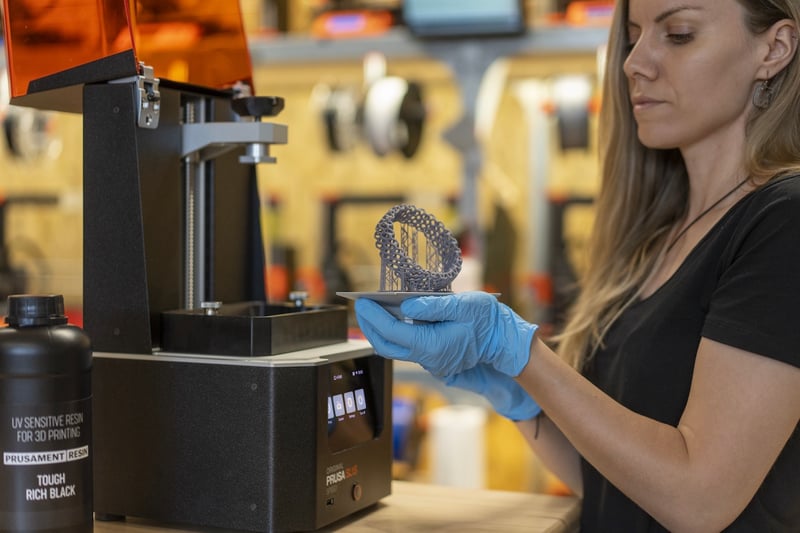
Highly detailed small printed object representing resin-style detail work

Resin / SLA / MSLA Printing

If your main goal is to print incredibly tiny, ultra-detailed objects like tabletop miniatures, jewelry prototypes, or precise dental models, resin is the way to go. Instead of melting plastic wire, these printers use a UV screen to harden a vat of liquid photopolymer resin. While the smooth, high-resolution details are stunning, the process is much more demanding. Because working with liquid chemicals requires mandatory ventilation, safety gear, and messy post-processing washes, this technology is much better suited for a professional environment or a dedicated workshop rather than your home office.

Why Trust This Guide?

We make 3D printers, so yes, in the end we will recommend ours. As a manufacturer building machines in Europe and the US, our vision is to create hardware that is made to last and easy to upgrade as your skills grow. With that same mindset, we wrote this guide to be as objective as possible, so you know what to look for no matter which brand you buy.

700,000+
Printers shipped worldwide
Trusted by weekend hobbyists, schools, and professional engineering teams.
1,000,000+
Community members
A highly active user base sharing models and advice daily across Printables.com and forums.
14+ years
Of continuous development
We've been designing, building, and pushing the boundaries of 3D printing since 2012.
800+
Printers running 24/7
We practice what we preach, running our machines 24/7 to make parts for new printers.
24/7
Live tech support
Real experts who use the machines daily, ready to help you troubleshoot day or night.
100%
Repairability mindset
No planned obsolescence. Replace or upgrade parts, reprint the plastic components yourself.

5 Key Factors When Choosing a 3D Printer

When comparing models, it’s easy to get lost in the spec sheets. Here are 5 things we've learned from over a decade of experience that actually make or break your daily printing experience.
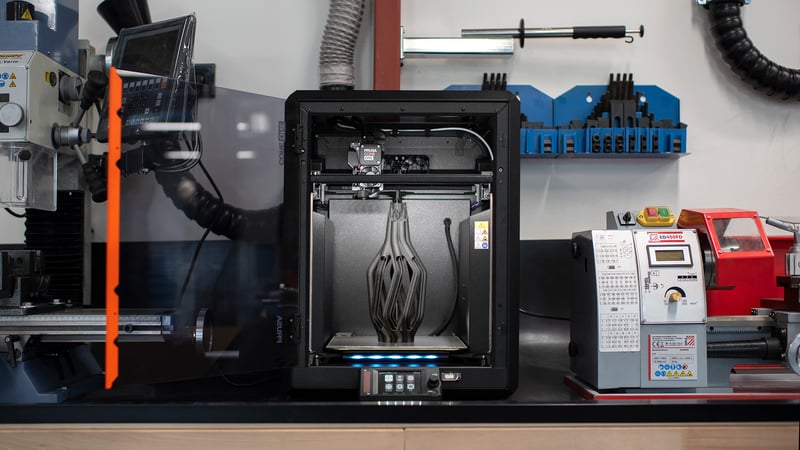
3D printer setup showing multiple toolheads and finished prints

Print Speed vs. True Reliability

It’s easy to chase maximum speed numbers on the box. But without precision, a fast printer just gives you a bad print faster. A reliable machine that delivers a flawless part on the first try will always save you more time than a speedy one that forces you to reprint.
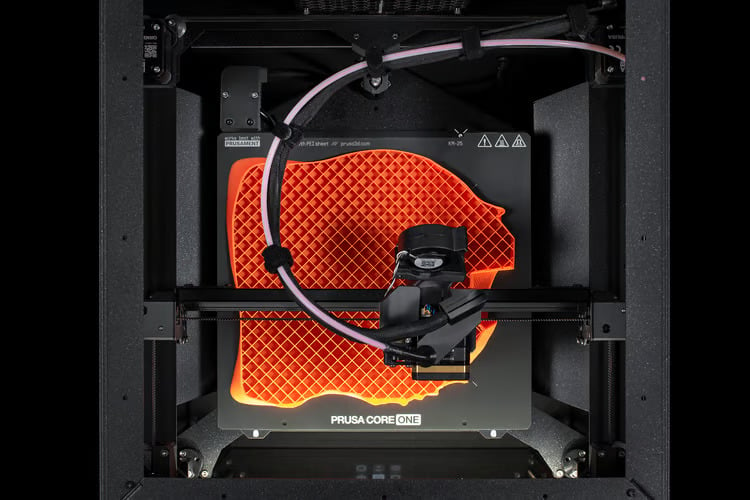
Desktop 3D printer shown in a compact workspace

Build Volume: How Big Do You Actually Need?

It’s tempting to buy the biggest printer possible, but consider your actual desk space. A reliable, medium-sized printer covers 90% of everyday projects. Even for large props, printing in smaller sections is usually the smarter move, it makes sanding, painting, and assembling much easier, and you don't need a massive machine to do it.
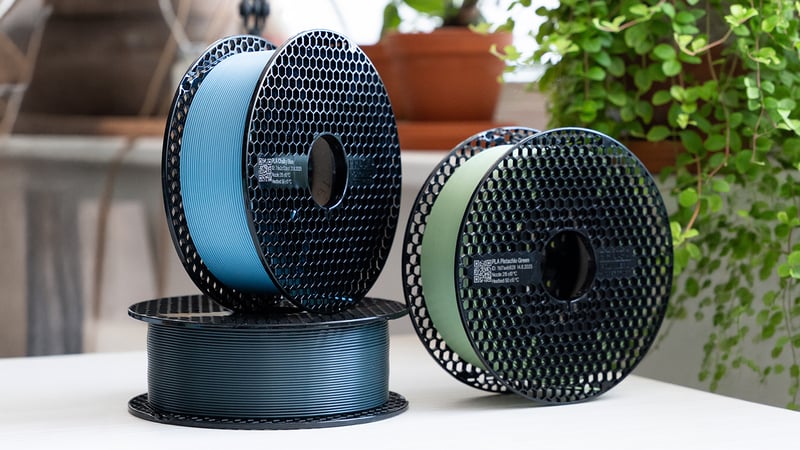
Rows of 3D printing filament spools in different materials

Material Compatibility: What Will You Actually Make?

Standard PLA is perfect for indoor toys and desk organizers. But if you want to make heat-resistant car parts, flexible grips, or weather-proof outdoor gear, your printer needs to handle advanced materials safely. This usually means high-temperature nozzles and an enclosed printing chamber.
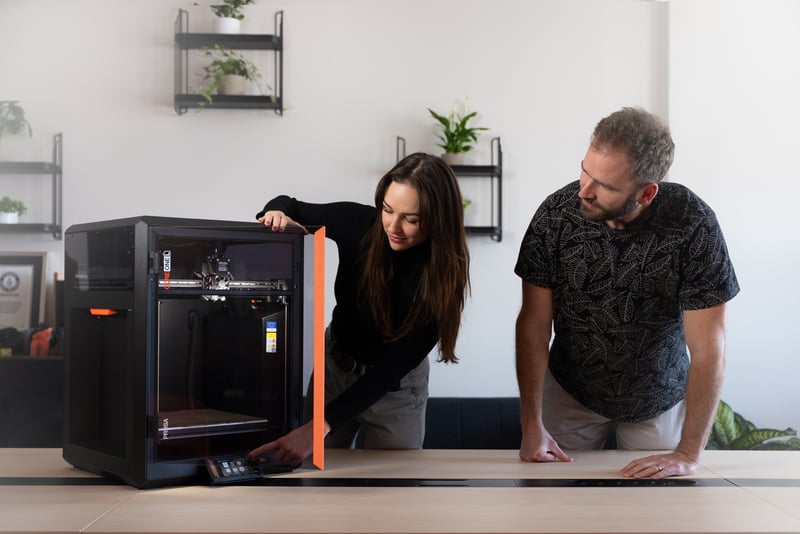
3D printer assembly kit being built on a workbench

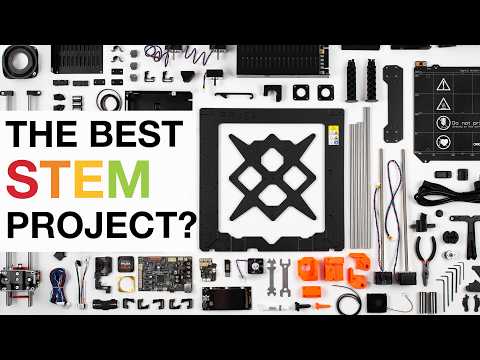
The Setup: Plug‑and‑Play vs. DIY Kit

Want to start printing in 20 minutes? Buy a fully assembled, plug-and-play machine. Want to save money and learn exactly how your hardware works? Building an assembly kit is an incredibly rewarding weekend project that takes the fear out of future maintenance and upgrades.
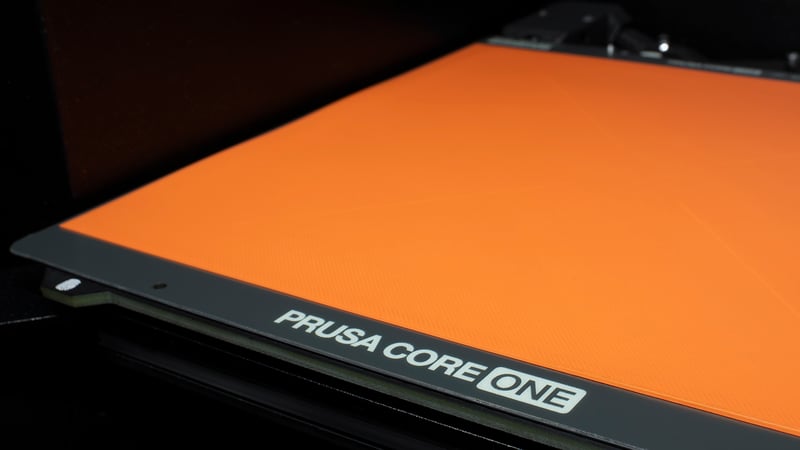
3D printer operating in a workshop with support and monitoring tools nearby

Quality of Life: Perfect First Layers & Sensors

A perfect first layer is the absolute secret to 3D printing success. Look for machines with automatic, flawless bed leveling, so you can just press print and walk away. Smart features like power-loss recovery and filament sensors might sound like 'extras,' but they will save your prints and your sanity.

What Does a 3D Printer Cost?

You aren't just buying hardware; you are buying reliability and your own time. Here is what you can realistically expect at the three most common price points. Pro tip: Plan for roughly $20–$50 a month for filament if you print regularly!

Entry‑Level

The Perfect Starting Point

$200 - $500Low risk, high fun
  • Perfect for kids and weekend projects. You get reliable, high-quality PLA and PETG prints, a guided setup, and core safety features without the hefty price tag.
Explore entry-level
Best Value

Mid‑Range

The Everyday Workhorse

$500 - $1,990The sweet spot for performance
  • Built for daily, dependable printing. Features zero-hassle automatic calibration, wider material compatibility, and seamless network connectivity.
See mid-range options

Professional

Uncompromising Production

From $2,000Maximum uptime, advanced materials
  • Built for 24/7 repeatable output with tough engineering plastics. Includes fleet management software and priority business support.
Discover pro printers

What Do You Actually Want to Print?

Most people don't wake up dreaming about PETG or TPU. They dream about the actual things they can make: custom toys, unbreakable replacement parts, or precision tools. Find your dream project below, and we’ll tell you exactly what materials and printer features you need to make it happen.

Everyday Fun & Organizers

PLA / PETG

Everyday Fun & Organizers

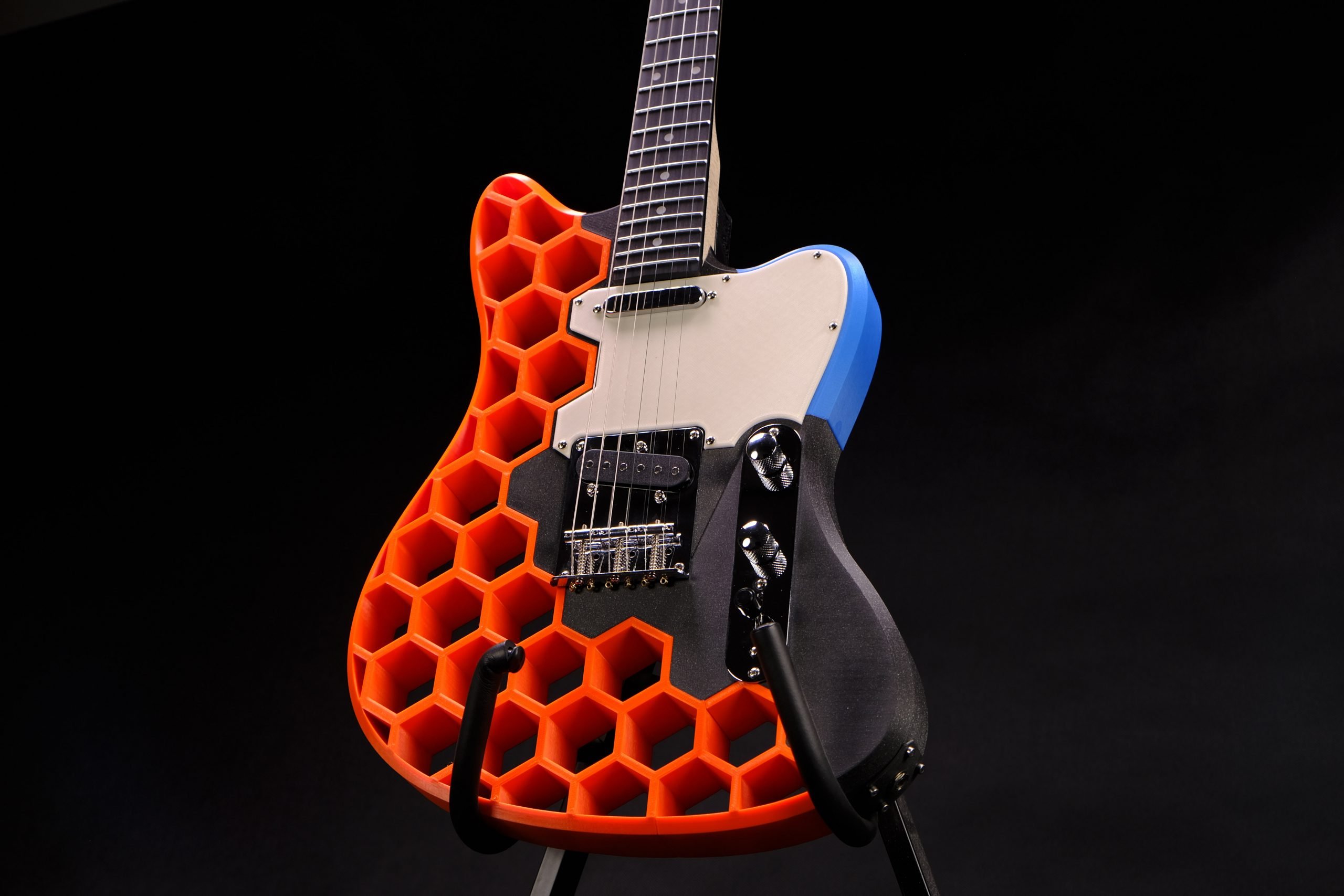
Desk toys, plant pots, and even fully playable electric guitars, like the famous Prusacaster! These low-stress projects are perfectly served by standard, open-frame printers using PLA or PETG.
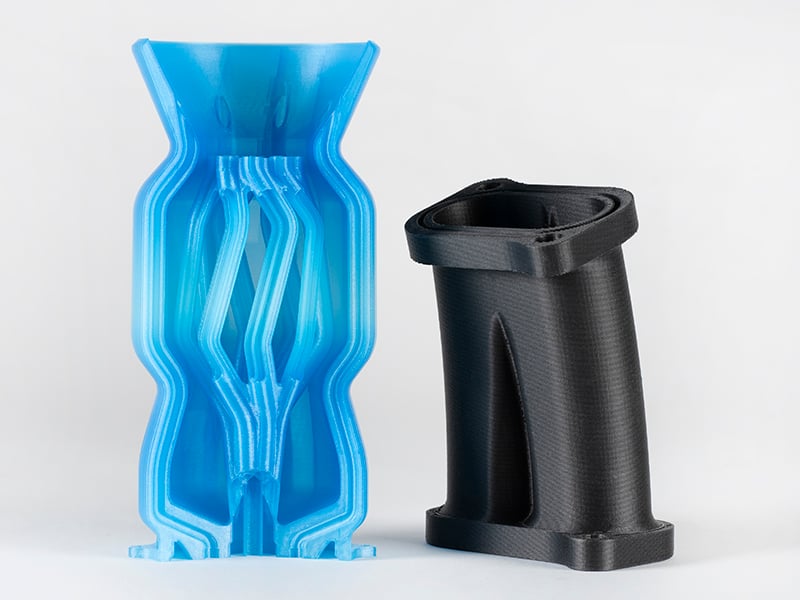
Durable Household Fixes

PETG / ASA

Durable Household Fixes

Broken appliance knobs, wall mounts, shelf brackets, and outdoor tools. These demand stronger, UV-resistant materials. You will want a printer tuned for PETG or ASA, and an enclosure helps tremendously.
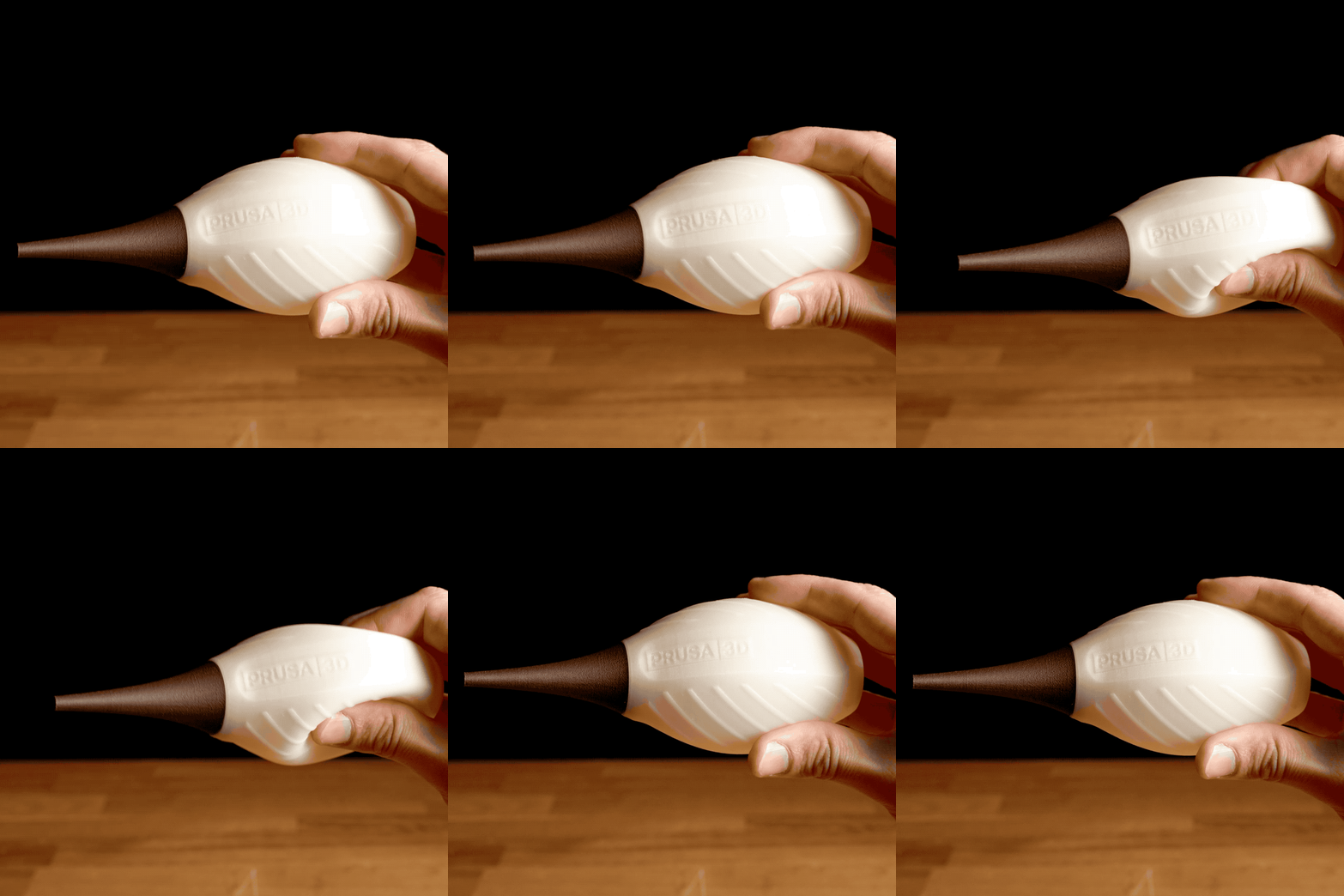
Flexible & Soft-Touch Parts

TPU

Flexible & Soft‑Touch Parts

Custom phone cases, shock-absorbing feet, drone bumpers, and RC tires. Printing rubber-like, flexible materials is notoriously tricky. You'll want a reliable printer that is capable of feeding soft plastics smoothly without them tangling or jamming.
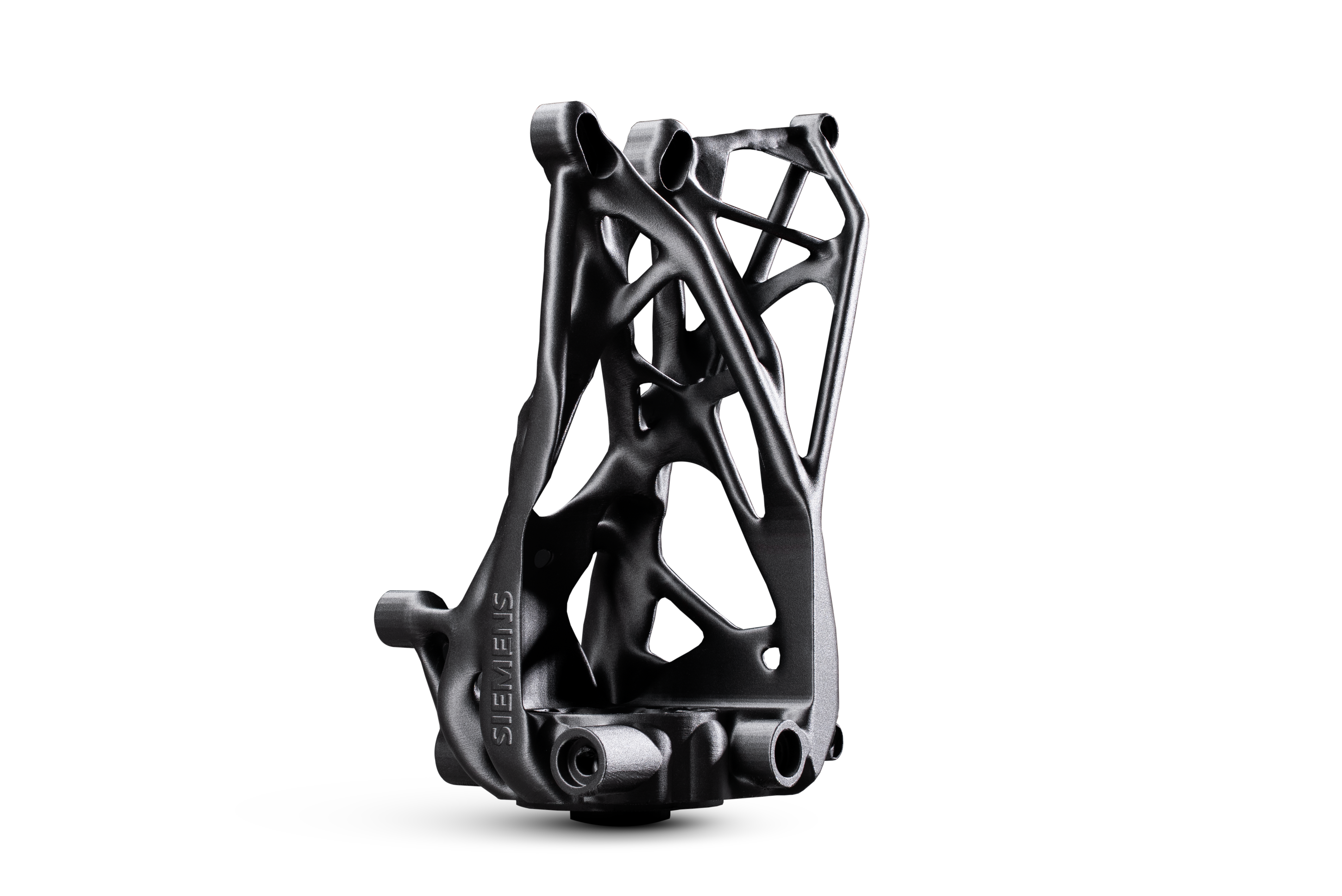
Engineering-Grade Components

ASA / Nylon / PC / CF

Engineering‑Grade Components

High-heat machine covers, structural car parts, and manufacturing jigs. This is the heavy-duty stuff. You absolutely need a fully enclosed printer, a hardened nozzle, and ideally an actively heated chamber to prevent parts from warping.
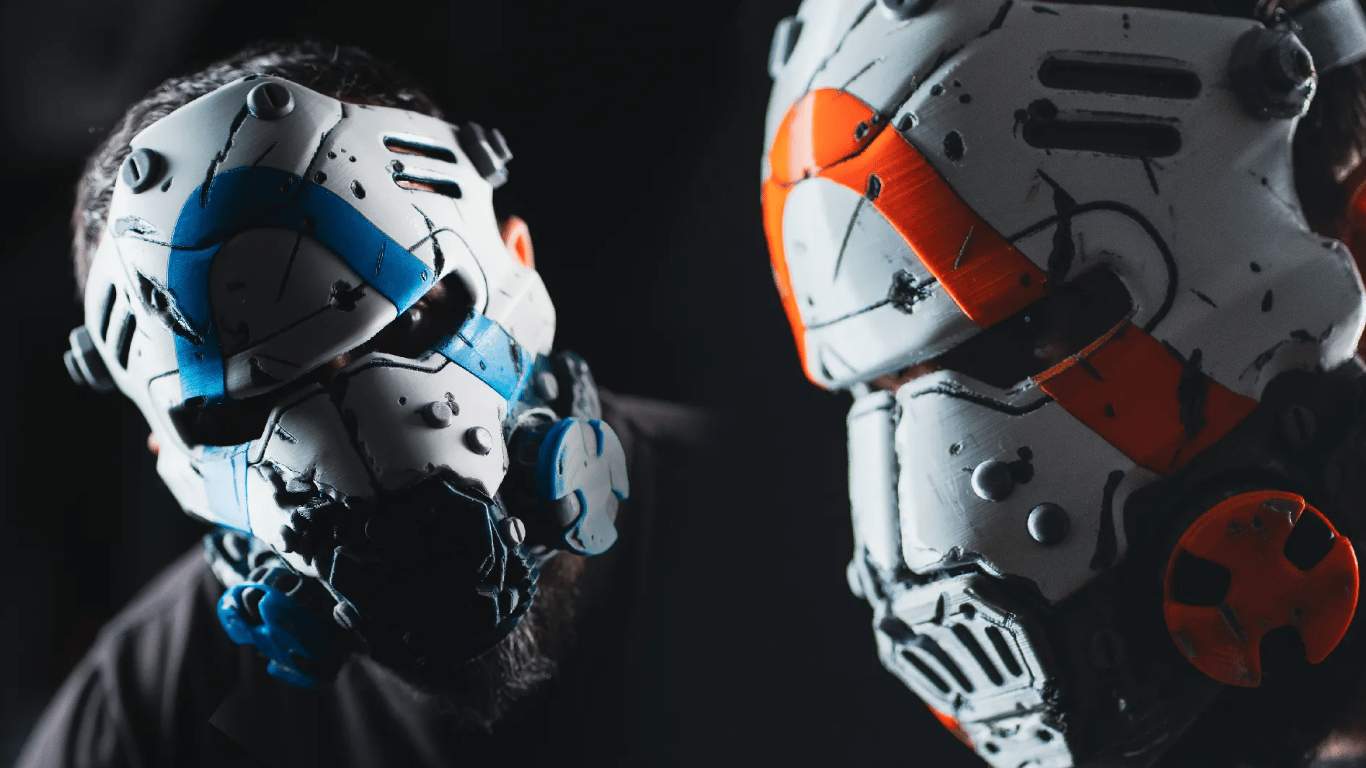
Cosplay & Large Props

PLA / PETG

Cosplay & Large Props

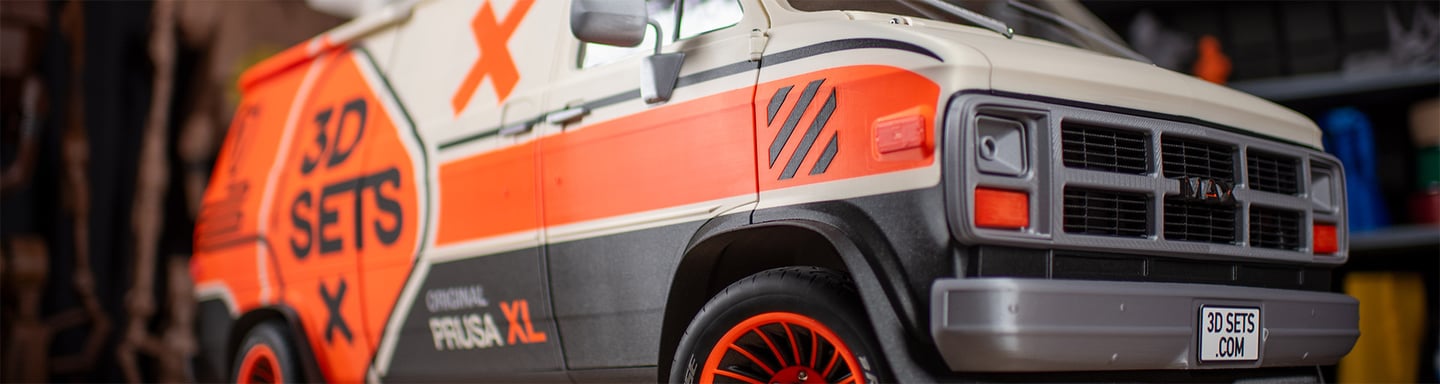
Helmets, armor, and massive visual props. These multi-day prints require a rock-solid, reliable machine that won't fail 30 hours in. You'll primarily use standard plastics that are easy to glue, sand, and paint.
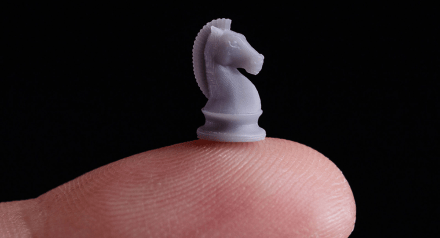
Ultra-Fine Details

Resin / SLA

Ultra‑Fine Details

Tabletop miniatures, jewelry prototypes, and incredibly detailed scale models. When you need invisible layer lines and flawless surface quality, an SLA printer using liquid resin is the only way to go.

Which Hardware Style Fits Your Workspace?

Now that you know what you want to make, let's look at the physical machine itself. 3D printers generally come in three distinct shapes, each built for a very different type of workflow and environment.
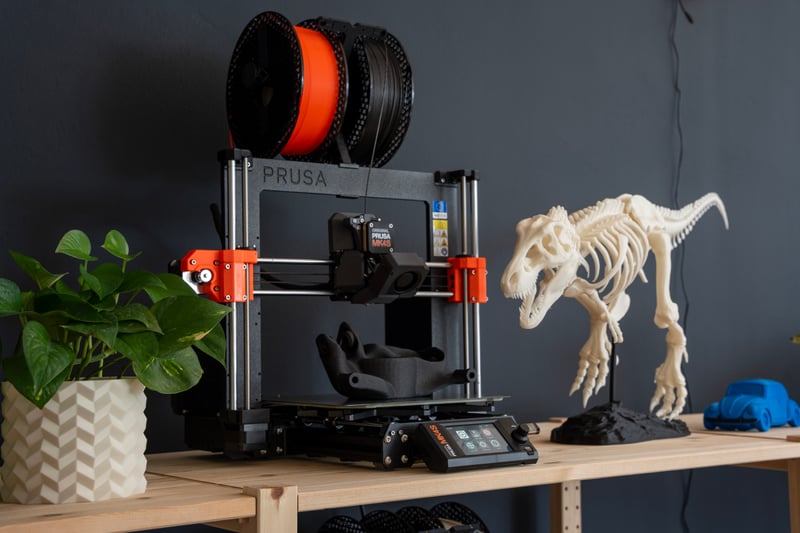
Open-frame FDM printer on a desk

The Open‑Frame Desktop

Best for everyday prints, tinkering, and immediate access to your parts. Open-frame designs offer maximum visibility so you can watch your prints come to life, and they make maintenance incredibly easy. They are the undisputed standard for PLA and PETG projects.
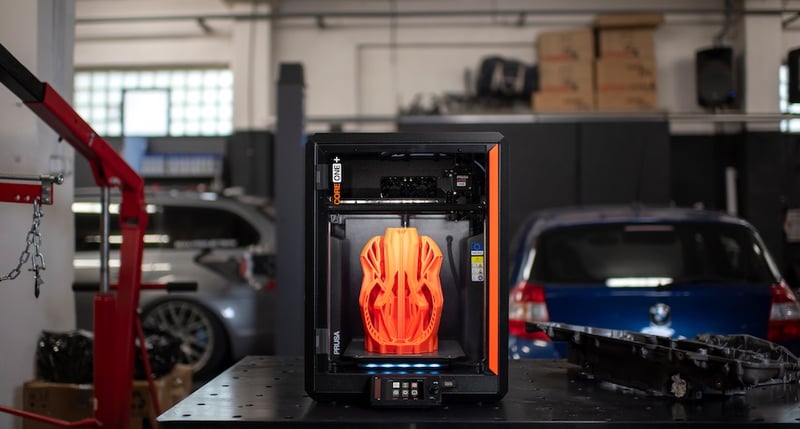
Enclosed FDM printer for advanced home and workshop use

The Enclosed Chamber

Best for advanced materials and shared spaces. A fully enclosed printer traps heat to maintain the stable temperatures required for strong, warp-free engineering parts (like ASA or nylon). As a bonus, it dampens operating noise and keeps curious hands or pets away from hot components.
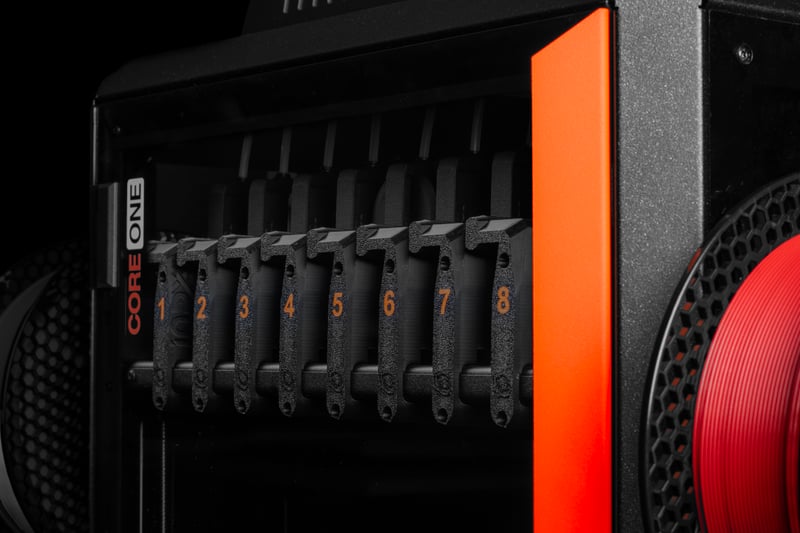
Professional multi-toolhead 3D printer for engineering work

Large‑Format & Multi‑Toolhead

Best for massive props, zero-waste multi-color art, and complex engineering. If you want to print a full-sized helmet in one piece, or seamlessly print flexible rubber gaskets directly onto hard plastic, you need a large-format machine with multiple independent print heads.

Free E-Book: Basics of 3D Printing

Ready to dive deeper? This free 60-page guide bridges the gap between basic concepts and actual terminology. Learn everything from slicing and infill to extruders and materials so you can print like a pro.

  • 60+ pages of practical 3D printing knowledge.
  • The complete printing process, from start to finish.
  • In-depth material guides and slicing tutorials.
Loading form…

We will send you the e-book and occasional helpful updates about 3D printing and Prusa products.

Basics of 3D printing e-book cover

What Do You Need Besides the Printer?

Hardware is only half the equation. From the software that prepares your files to the physical tools on your desk, here are the digital and physical essentials you will use every single day.

A Library of 3D Models

You don't need to know how to use 3D design software. Community hubs like Printables.com have millions of free, high-quality models ready to download—from replacement appliance parts to tabletop dragons.

Printables.com logo
Explore Printables

Slicing Software

Before you print, you need a 'slicer' to translate the 3D model into instructions the printer understands. Our free PrusaSlicer comes with perfectly tuned, built-in profiles so you can just select your material and hit slice.

3D slicing software
Download PrusaSlicer

Remote Management

Forget carrying files back and forth on a USB drive. A good network ecosystem lets you send print jobs directly over Wi-Fi, monitor progress from your phone, and manage your printer securely from anywhere.

Prusa Connect logo
Login to Prusa Connect

High‑Quality Filament

The plastic you use dictates the quality of your print. Investing in high-quality, precision-made filament (like Prusament) ensures smooth layers, prevents frustrating nozzle clogs, and makes your parts significantly stronger.
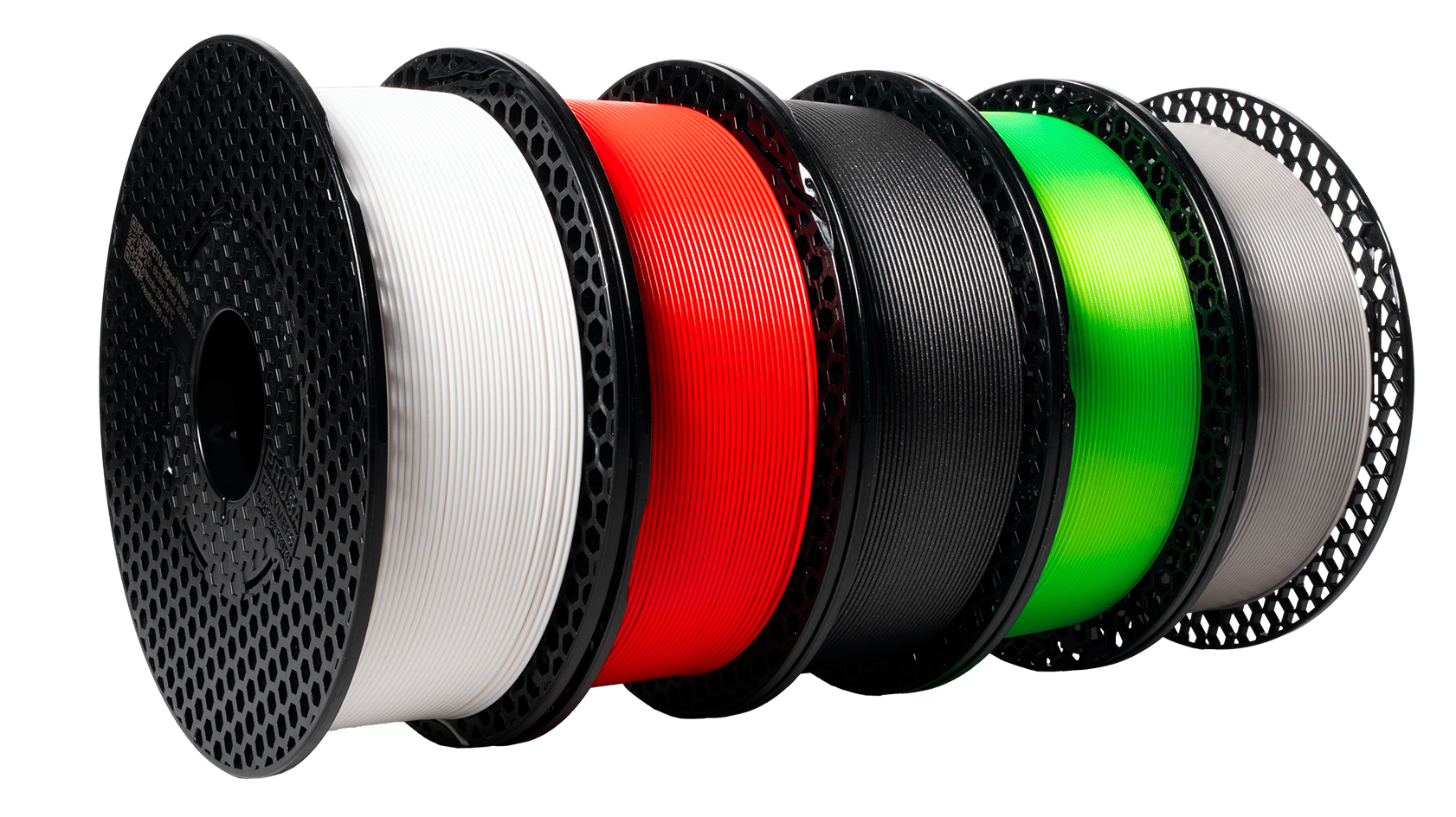
Spools of filament
Buy Prusament

Essential Hand Tools

Every maker's desk needs a few basics. A good pair of flush cutters (for removing support material), needle-nose pliers, and a set of hex keys will cover almost every daily task and minor maintenance job.
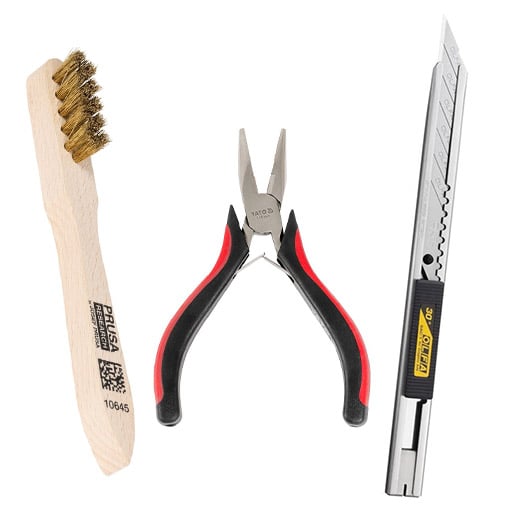
Brush, clamps and a knife
Shop Accessories

Interchangeable Print Sheets

Different materials stick best to different surfaces. Having a mix of Smooth, Textured, or Satin spring steel sheets lets you easily pop off finished prints and gives the bottom of your models a beautiful, professional finish.
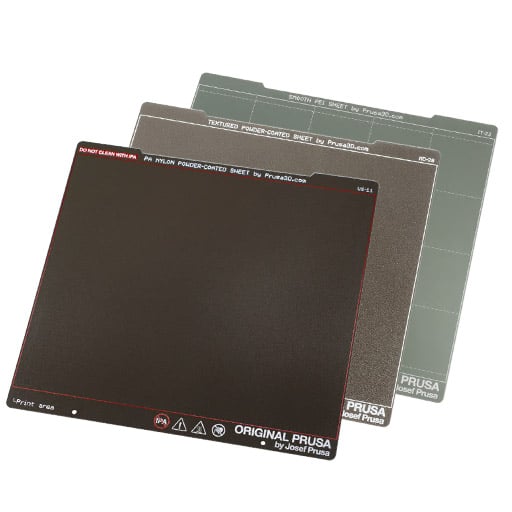
Bottle of Isopropyl Alcohol and paper towels next to a 3D printer
Find More Print Sheets

Watch How It Works:

Prusa 3D
Prusa 3D
Prusa 3D
Prusa 3D
Prusa 3D
Prusa 3D
Prusa 3D
Prusa 3D
Prusa 3D

Frequently Asked Questions

Quick, direct answers to the most common questions about choosing, running, and maintaining a 3D printer.

Continue Your 3D Printing Journey

Printables

A global community platform for sharing and discovering 3D models. Free to use, filled with inspiration.

Visit Printables


Prusa Academy

Online learning platform for 3D printing courses

Visit Academy

Prusa Help

Knowledge Base: Learn to Fix Anything

Visit Help

Prusa Blog

Prusa blog featuring 3D printing projects and tutorials

Visit Blog

Prusa Forum

Join Prusa community forums and discussion boards

Visit Forum

Ready to Choose Your 3D Printer?

We hope this guide helped you figure out exactly what you need. As we admitted up front, we make 3D printers, so we are obviously going to recommend our own! If you are still researching, we highly encourage you to watch independent YouTube reviews or ask around the community. But if you are ready to see how our machines stack up against your new checklist, we would love to show you what we have.

Explore Prusa PrintersBusiness & Industrial Solutions